
Open Note Scanner is an excellent productivity app. Designed specifically for scanning handwritten notes and printed documents, it offers an efficient way to digitize, organize, and store various types of documents. Open Note Scanner allows users to turn their Android device's camera into a professional document scanner, scanning photos and saving them locally. Meanwhile, the app offers powerful features that can correct tilted photos, convert them into a top-down view, and save the results clearly.
Highlights:
With Open Note Scanner you can capture documents, handwritten notes, arts, shopping receipts, etcetera.
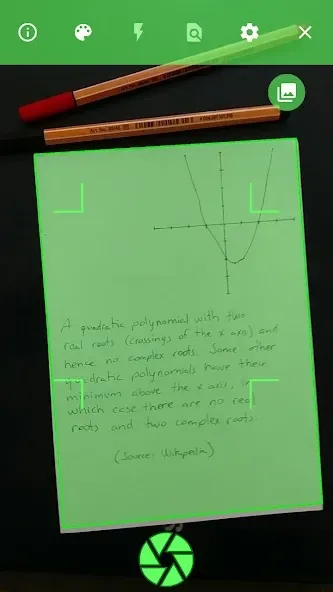
It will automatically adjust the image aspect, contrast and save it. It will allow browsing, view and share the scanned documents.
It also supports the automatic scan of preformatted pages with QR Code and action indicators.
PDF file with the pages are available on the application website, in the releases section.
Features:
The primary function of Open Note Scanner is its ability to automatically detect the edges of a paper document against a contrasting surface. This feature simplifies the scanning process, as users do not need to manually adjust the framing of their documents. The app enhances the user experience by streamlining the steps involved in capturing clear images of notes and printed materials.
For users who utilize RocketBook Wave notebooks or print their pages at home, Open Note Scanner offers an additional convenience. The application can recognize the QR code that is printed in the bottom right corner of these pages, enabling it to scan the document instantly. This automatic detection reduces the time needed to prepare the document for scanning, making it an ideal solution for individuals who frequently use these specific types of notebooks.
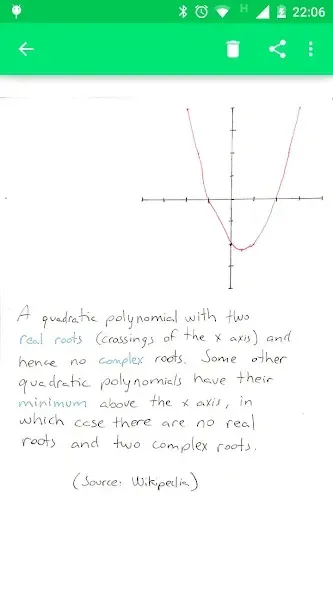
Once a page is detected, the application employs perspective correction techniques. This adjustment ensures that the scanned image is transformed into a 90-degree top view, which enhances the clarity and usability of the captured document. The resulting images are saved in a designated folder on the device, allowing users to easily access and manage their scanned materials.
Pros & Cons:
Pros
Corrects perspective to create a top-down document view
Automatically recognizes RocketBook Wave QR codes
Saves scans to a folder on the device
Ad-free, with publicly available source code
Cons
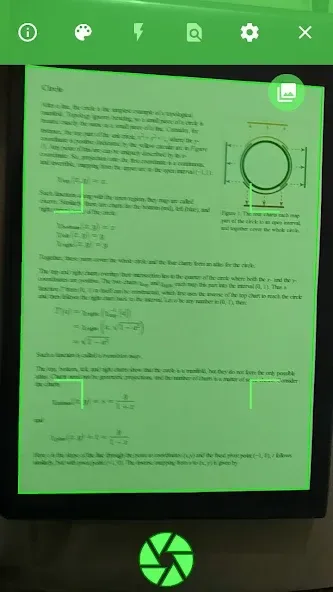
Page detection can fail and capture the full camera view
Image processing may make text harder to read
Changelog:
Custom Scan Topic
PDF Export
Turkish translation
Persian translation
Indonesian translation
Final Words:
After the page is detected, it compensates any perspective from the image adjusting it to a 90 degree top view and saves it on a folder on the device. It is also possible to launch the application from any other application that asks for a picture, just make sure that there is no default application associated with this action.








