

Mivi: Music & Beat Video Maker is a comprehensive multimedia application. It offers a suite of practical tools designed to enhance your multimedia experience and streamline daily tasks, helping you simplify your digital life, boost productivity, and unlock your creative potential. With Mivi, you can easily edit and merge videos or add special effects, transforming raw footage into polished content ready for sharing. Additionally, the app features a built-in, free music player that allows you to create personalized playlists and enjoy a high-quality audio experience.

Highlights:
Over 100 templates like Film 3D, Parallax, Magic FX, Portrait styles.
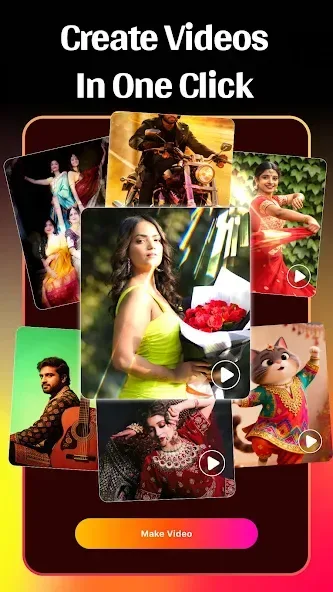
One-tap photo-to-video auto-syncs with background music for instant status clips.
Animated text and high-quality filters, including Cartoon filter for stylized looks.
Popular effects such as neon, spiral, wings, emoji, and Magic Effects.
Background replace and blur tools, plus high-resolution export for easy sharing.
Features:
Background Tools & HD Export
Change or blur photo backgrounds effortlessl
Create professional-looking blur and focus effects
Export videos in high resolution (HD)
Optimized output for social media platforms
Save & Share Anywhere
Save your videos directly to your device
Share instantly on social media platforms
Send videos to friends and family
Perfect for reels, short videos, and creative sharing
Join Millions of Creators Worldwide
Join millions of users worldwide who trust Mivi – Music & AI Video Maker for fast, creative, and professional video editing.
Turn your photos into stunning videos, create engaging short-form content, and express your creativity with confidence.
Create. Edit. Share. Inspire.
Download Mivi – Music & AI Video Maker today and experience a powerful AI video generator and video editor built for modern creators.
Let your creativity shine and become an MV master with Mivi — powerful, creative, and easy to use.
Pros & Cons:
Pros
Large selection of ready-made templates
Direct sharing to major social platforms
Custom text, filters, blur, and effects
Simple photo-to-video workflow
Cons
Exported video can lose resolution
Ad frequency may be disruptive
FAQs:
What types of files does Mivi :Music & Beat Video Maker support?
Mivi :Music & Beat Video Maker supports a wide range of multimedia formats, including MP4, AVI, MOV, MP3, WAV, and more.
Does Mivi :Music & Beat Video Maker require a lot of storage space?
Mivi :Music & Beat Video Maker is designed to be lightweight and efficient, minimizing its impact on your device’s storage.
Is Mivi :Music & Beat Video Maker compatible with older Android versions?
Mivi :Music & Beat Video Maker is compatible with a wide range of Android versions, ensuring accessibility for a broad user base.

Final Words:
Mivi :Music & Beat Video Maker does present some issues that affect the video’s resolution, however, it still offers users a quick and easy way to create unique content. With numerous video templates and popular tunes at your disposal, this app provides both beginner editors and professionals an avenue to edit stunning music videos to impress their respective audiences.








