Penly is a lightweight note-taking app focusing on digital journaling, calendar planning, and PDF editing. It supports handwriting and typing input, comes with three built-in handwriting brushes (ballpoint, fountain, and drawing brushes), and can import custom TTF fonts for easy creation of consistent journal content. The software also features beautiful PDF calendar view templates, allows for quick switching between months via hyperlinks, and supports adding custom hyperlinks to jump to specific pages. Furthermore, Penly supports creating new folders for document categorization and has basic PDF editing capabilities, allowing copying, pasting, and page rearrangement to meet daily journaling needs.
Click to load YouTube / 点击加载视频
YouTube ↗Features:
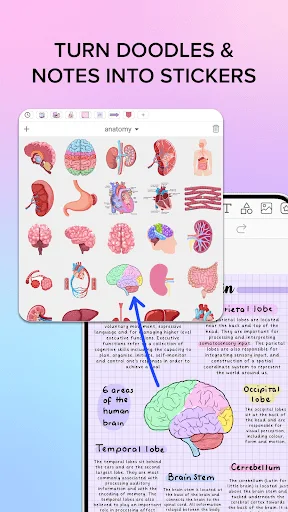
Digital Whiteboard – One of the best features of this app is being able to collaborate on a digital whiteboard in real time with other users around the world. Not only this, but you can also access the digital planner that uses that to organize your workflow. Customize your notes by adding different elements and stickers.
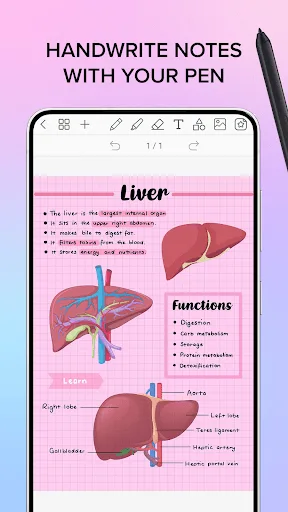
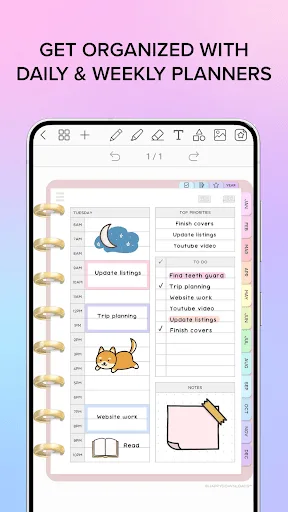
Advanced Features – It is not a regular note-taking app for Android but comes with features like support for Bluetooth Stylus of different devices, highlighter, pen, handwriting, colour wheel, and many more. The digital planner comes with updated and reusable planners that can be used to take notes and create hyperlinks too.
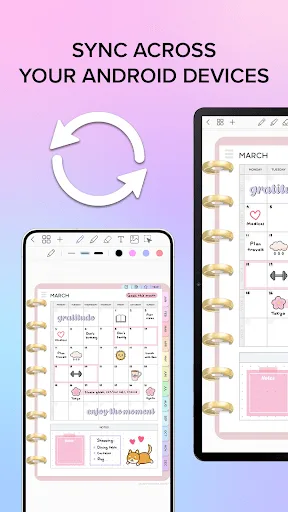
100% Free & Safe – Another good reason to do Penly app free download is that this app doesn’t have any ads in it. You will be able to import PDF files in the Penly app for Android and then use the app to customize and edit them. You can also sync your notes and digital planners with Google Drive. So, don’t wait and download the Penly Android app APK today.
Tips:
Master Hyperlink Navigation: Create links between daily, weekly, and monthly planners.
Organize Stickers by Theme: Save time by grouping stickers (study, work, personal) into collections.
Import Fonts Early: Personalize your documents with fonts that reflect your style or profession.
Manual Sync at Key Moments: Start and end your sessions with a manual sync to avoid losing updates.
Use the Smart Eraser Wisely: Instead of deleting large sections, erase specific highlights or handwriting without affecting the rest of your content.
Pros and Cons:
Pros
Helps users organize tasks and schedules effectively, increasing productivity.
Offers customizable templates and interfaces for personal preference.
Encourages engagement with a gamified experience, making planning fun.
Allows for easy access to notes and plans across multiple devices via cloud integration.
Features reminders and notifications to help keep users on track with deadlines.
Cons
Can be overwhelming for new users due to the range of features and options.
Dependent on technology; issues like battery life or app crashes can hinder use.
Some users may prefer traditional pen-and-paper methods and might find digital planning less appealing.
Potentially requires internet access for full functionality, limiting usability in offline scenarios.
Subscription or in-app purchase models may deter users looking for a free solution.
FAQs:
Q: Can I use the app without a Bluetooth stylus?
A: Yes, you can also type text using a keyboard.
Q: Can I customize the pen styles and colors?
A: Yes, the app provides various pen colors, widths, and styles, including ballpoint and fountain pens.
Q: Does the app support image insertion?
A: You can insert and edit images, such as photographs, within your documents.
Conclusion:
Penly: Digital Planner & Notes is a comprehensive and polished app for anyone seeking to merge digital planning with powerful note-taking. Its balance of planning tools, annotation functions, and deep customization options make it a competitive choice for professionals, students, or hobbyists organizing their schedules and thoughts. While there are some performance hiccups with large documents, the overall package is robust and highly adaptable.