

SetEdit SettingsDatabaseEditor is a powerful Android settings database editing tool. This application offers powerful features, allowing users to edit the device's settings database for greater flexibility in controlling device functionality. With SetEdit SettingsDatabaseEditor, users can easily adjust various settings to suit their personal preferences. Additionally, you can execute specific commands through ADB Shell to remove the default protection restrictions on SECURE and GLOBAL tables. The app provides clear instructions on how to remove protection for different Android versions, ensuring both compatibility and ease of use.
Highlights:
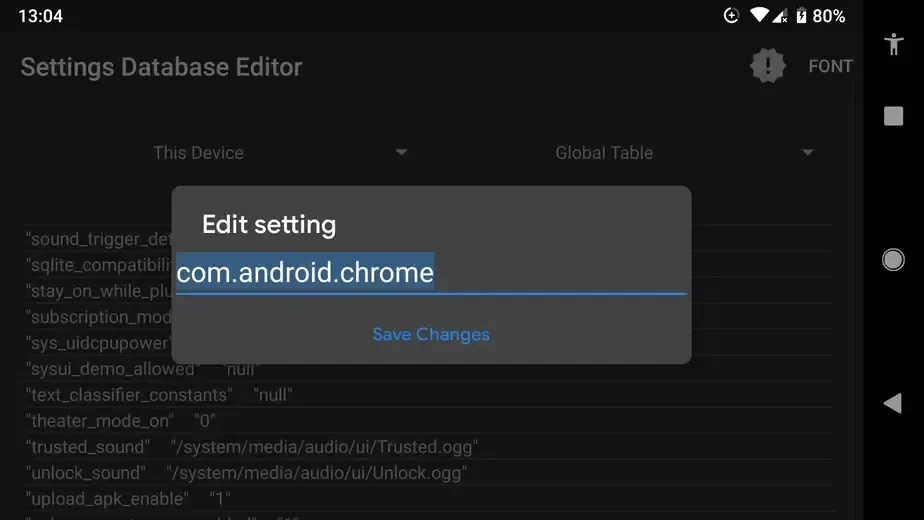
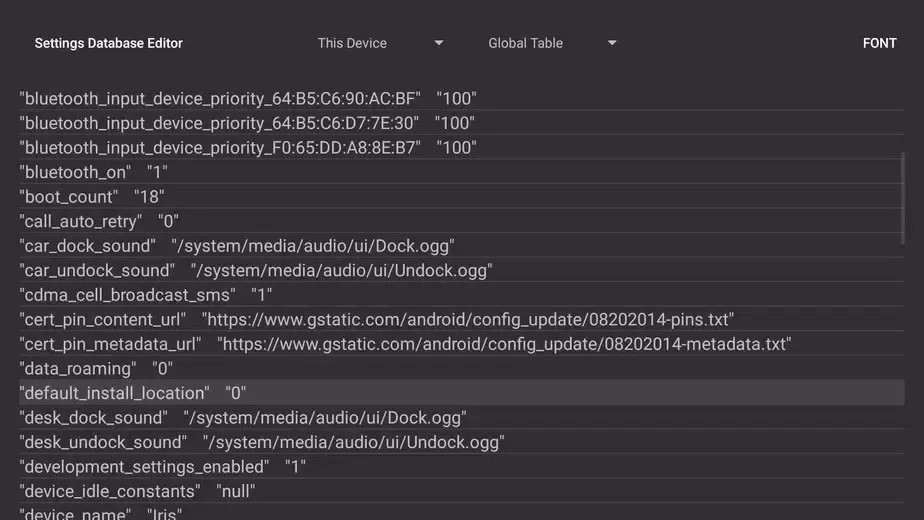
Browse SYSTEM, SECURE, and GLOBAL tables in one compact view.
Read existing keys and current values before making changes.
Edit, add, or remove selected configuration entries.
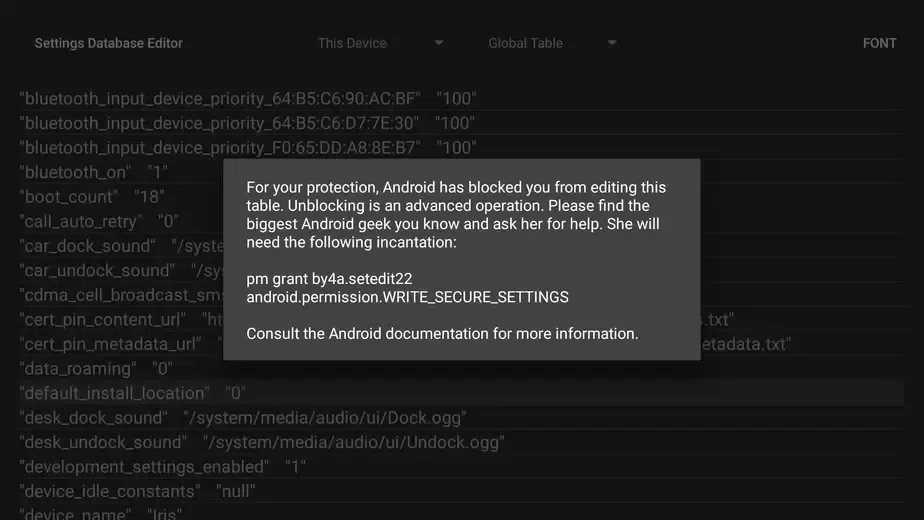
Use ADB permission for protected settings when supported.
Addresses Android 14-related issues in the current release.
Features:
Settings Database Editor: This app allows users to edit their device's settings database, providing them with the ability to customize and personalize their device according to their preferences.
Support for Android Jellybean and Later: The app supports devices running Android Jellybean and later versions, giving users the option to remove the protection on the SECURE and GLOBAL tables from an ADB shell using a specific command.
Rooted Device Compatibility: For earlier versions of Android, users with a rooted device can install SetEdit to the system partition to remove the protection, enabling them to modify the settings database.
Constant Updates: The app informs users about available updates, ensuring they always have access to the latest features and bug fixes.
Warning Message: The app includes a warning message that highlights the potential risks of improper use and emphasizes that the app does not guarantee fixing problems caused by misuse.
Limited Functionality to Ensure Safety: The warning message states that the app's functionality cannot be reduced to stop the warning, as it could compromise the safety of the device. This ensures that users fully understand the potential risks involved.
Tips for Users:
SetEdit can work with Android’s SECURE and GLOBAL settings tables, although the operating system blocks changes to them by default. On Android Jellybean and later, advanced write access requires permission granted through ADB. Earlier Android versions require a rooted device and deeper system integration.
This makes SetEdit suitable for experienced Android tinkerers who understand database keys, ADB, and the consequences of entering the wrong value. It is emphatically not a friendly customization panel for casual users. The app exposes the controls, but it does not make those controls safe.
The practical value can be considerable when a device maker has hidden a useful setting. Users report changing touchscreen haptic feedback on a Galaxy A50 and overriding a Nord2 refresh-rate limit that affected games such as Pokémon Go. Results like these show why SetEdit has a loyal audience: it can restore choices that the phone’s standard interface withholds.
Pros & Cons:
Pros
Direct access to hidden Android settings entries.
Clear table-based layout for checking key values.
Can edit, add, and delete selected entries.
Supports both ADB permission and Root workflows.
Current release addresses Android 14 compatibility issues.
Cons
Incorrect edits can cause instability or broken functions.
Protected tables require ADB authorization or Root access.
Some changes reset after reboot or have no effect.
Conclusion:
It is important to exercise caution when making changes as certain settings can be risky. By providing warnings and support, SetEdit ensures that users are informed and guided throughout the process. Download it now to take full control of your Android device and unlock its true potential.








