
32bit or 64bit is a utility application designed specifically for Android devices. This application provides powerful functions designed to help users determine the CPU and operating system architecture of Android devices and eliminate your concerns. With 32-bit or 64-bit options, users can easily find out in seconds whether their device natively supports 64-bit or is currently running in 32-bit mode in just a few simple steps. Although this difference is not noticeable in everyday use, it determines whether applications that include 64-bit native libraries can run on the device.
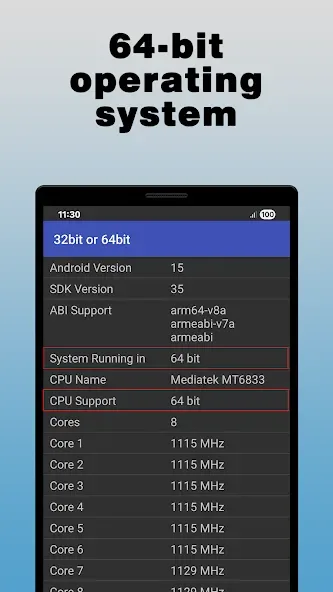
Highlights:
This insightful utility allows you to quickly identify if your device runs on a 32-bit or 64-bit OS and CPU.
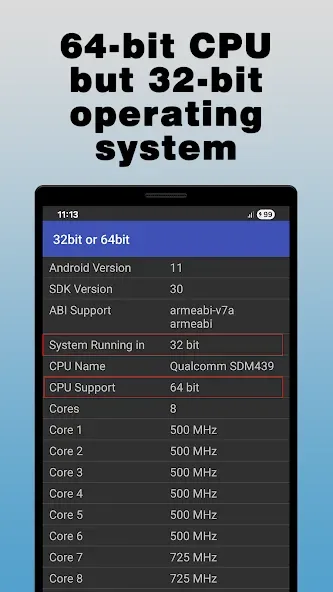
While modern Android devices typically feature 64-bit CPUs capable of supporting both architectures, some manufacturers still opt for a 32-bit operating system, which can limit compatibility with certain advanced apps.
Knowing your device's setup helps you ensure seamless performance and avoid potential software conflicts.
32bit or 64bit is an essential tool for anyone wanting to confirm their device's capabilities before downloading apps that require optimized architectures.
From tech-savvy users to everyday Android enthusiasts, this lightweight and efficient app takes the guesswork out of ensuring compatibility.
By pinpointing whether your system can support 64-bit libraries, it streamlines the app selection process and prevents unnecessary installation errors.
Features:
One-tap check: Run a quick test to see if your device supports 64-bit or is limited to 32-bit, with an immediate, readable result.
Plain-language results: No acronym wall—just a clear status and what it means for installing apps and games.
Hardware and system insight: Understand if your processor can handle 64-bit and whether your current system is using 32-bit or 64-bit mode.
Compatibility guidance: Simple cues that help you pick the right app variant and steer clear of mismatch issues.
Tips for Users:
Clean, no-frills design: A focused layout that shows exactly what you need and nothing that you don’t.
Fast from launch: Opens quickly and finishes the check in moments, so you’re not sitting around.
Handy for troubleshooting: Keep the bit status on hand when talking to support or comparing device specs.
Conclusion:
With a simple interface, 32bit or 64bit provides users with the information they need to understand the capabilities of their device's CPU and operating system. It is a useful tool for those who want to ensure compatibility with 64-bit applications.








