
Foxit PDF Editor is a PDF processing application. It offers a wealth of PDF features to help you use it more effectively. No time to view PDF files, but still need to use them? Use AI tools to easily summarize documents, outline text, correct spelling errors, and easily process files. Here you can also collaborate on PDF files with others, share PDF files and take screenshots within the application, eliminating the hassle of switching between multiple applications. As for creating and converting PDFs, it goes without saying—easily convert PDF text formats and edit text.
Features
Use AI to process PDF files
• Summarize documents
• Summarize text
• Translate text
• Improve your writing skills
• Define and clarify text
• Correct spelling and grammar errors
• Discuss the document
• Smart PDF editor commands
View and manage PDF files
• Reformat PDF files for easier viewing
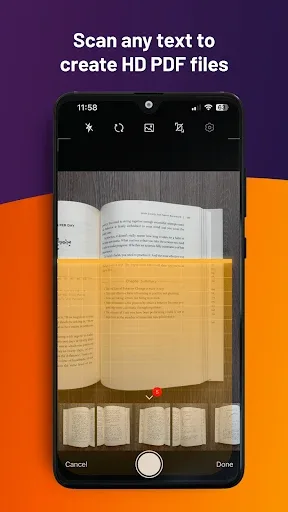
• Convert scanned text and handwritten notes to digital text*
• Easily browse documents with bookmarks
• Search for text in PDF documents
• Tabbed document interface (tablets only)
• Read PDF files aloud
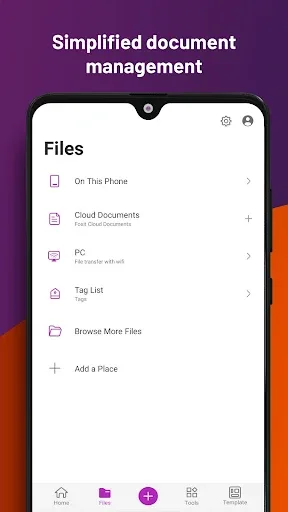
• Rename, move, copy, or delete PDF files
Collaborate and share PDF files
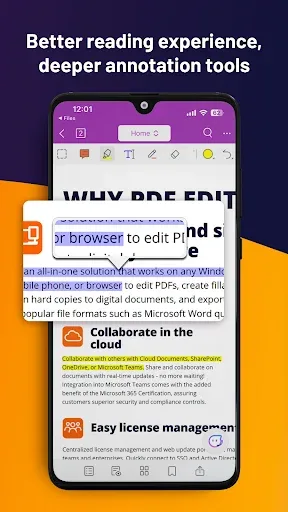
• Add annotations and stamps to PDF files
• Share PDF files and screenshots within the app
• Share multiple files between your desktop and Android devices via Wi-Fi
• Save, sync, and access PDFs in popular cloud services (Google Drive, OneDrive, etc.) Files
Create and Convert PDFs
• Create a blank PDF from scratch*
• Create PDF files from Microsoft Office files, images, text, and HTML files*
• Scan paper documents and convert them to PDF format
• Convert PDF files to Microsoft Office, image, text, or HTML files*
• Merge multiple PDF files to create a new PDF file*
Edit PDF Files
• Insert audio, video, or hyperlinks into PDF files*
• Add/edit text and image objects in PDFs*
• Edit document properties*
• Optimize PDF documents*
• Reorganize PDF pages (add*, delete, rotate, or extract* pages)
Work with PDF Forms
• Fill out and save PDF forms
• Import and export form data
• Submit PDF forms via HTTP, FTP, or email
• Work with XFA forms*
Sign and Protect PDF Files
• Add a handwritten signature to a PDF file
• Sign PDF documents using an existing digital certificate*
• Protect PDF files with password and Microsoft information protection*
• Protect PDF information with encrypted data*
Highlights
Foxit PDF Viewer offers multiple modes for loading and viewing documents. You can choose a viewing mode optimized for tablets or for smaller phones. In short, you can perfectly view PDF documents no matter which Android device you use.
Another major highlight of Foxit PDF is its rich editing options. You can write freely anywhere in the document using the text tool. Additionally, you can draw on the document surface with your finger and choose the brush size and color.
Pros and Cons
Pros: Read and edit PDF documents on your mobile device. Securely share and collaborate on PDF documents using PDFConnect.
Cons: This program is only available for Android and not for Apple iOS.
Some ads and pre-installed software may appear to be advertising other programs.
Summary
Finally, we hope this Foxit Apk helps you edit or view PDF files. If you encounter any problems during use, such as not finding the required function or any shortcut keys, please let us know. We are happy to receive your feedback and will do our best to help you.