

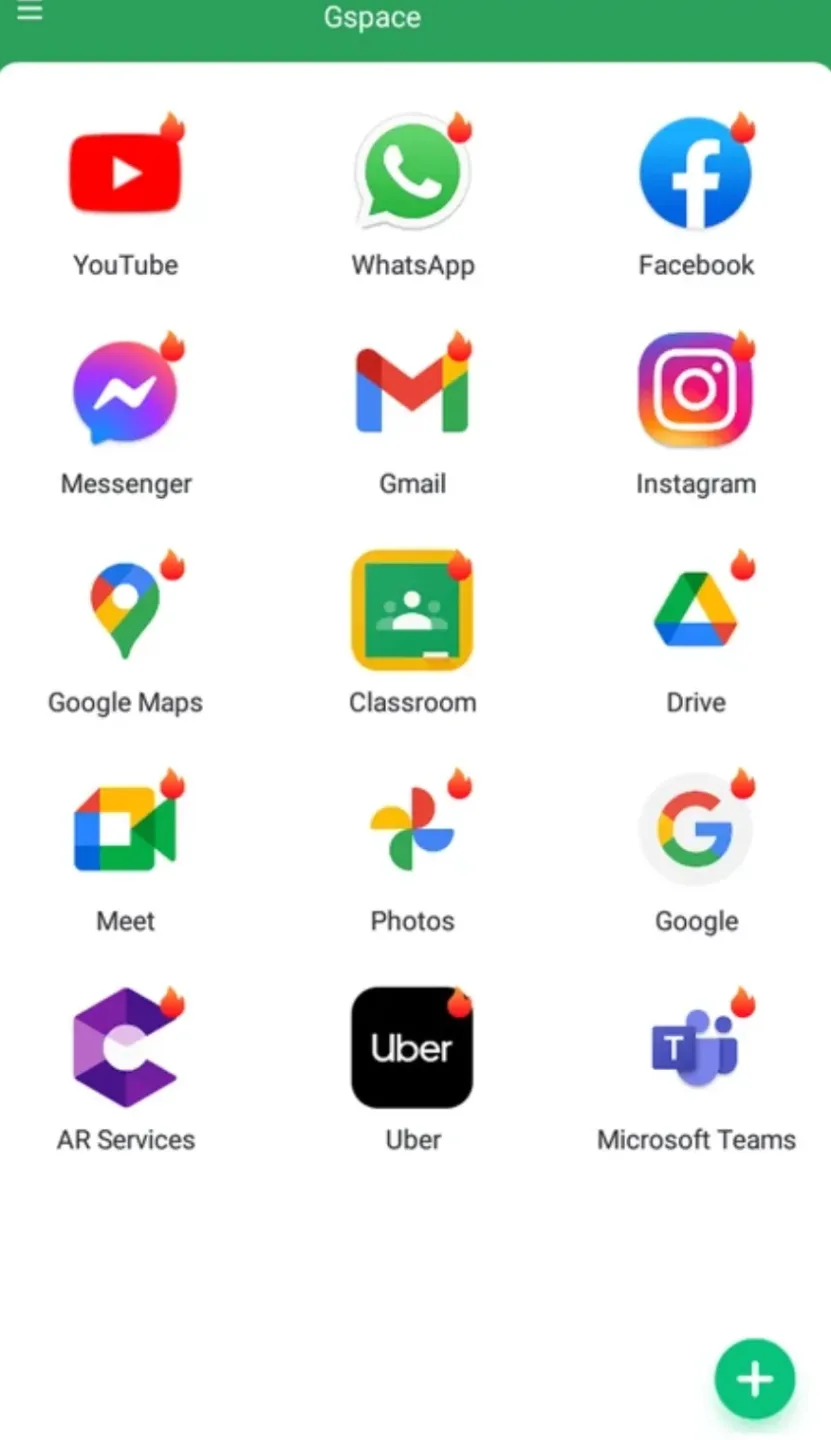
Gspace is a virtual environment tool designed for the Android operating system. It allows users to run Google applications even on devices that lack native Google Mobile Services (GMS). The software creates an isolated, self-contained environment, enabling the execution of Google apps without requiring special system permissions or root access. It also includes a built-in Google Play Store, allowing users to search for, install, and use applications directly. Furthermore, Gspace offers a cloning feature that lets you place shortcuts to apps from within this virtual environment onto your device's home screen; this means you can access your Google apps without needing to open the Gspace app itself. Additionally, the software does not record or collect user data, ensuring privacy and security.
Features
Run Google Apps Without GMS
Gspace provides an isolated environment—separate from your main system—where Google applications can run. There is no need to modify your device or obtain root access, which simplifies the setup process while keeping your core system settings untouched.
Ideal for Huawei and Honor Devices
Many Huawei and Honor devices do not come with Google Mobile Services (GMS) pre-installed. Gspace offers a convenient way to access services like Gmail, Maps, YouTube, and more—all in one place. It is also compatible with a wide range of other Android devices if you wish to create a dedicated, separate space for specific applications.
Built-in App Store for Easy Setup
Within Gspace, you can search for, install, and launch Google applications directly. The integrated app store interface handles installations within the virtual space, keeping everything organized and making the initial setup process quick and effortless.
Quick Cloning and Home Screen Shortcuts
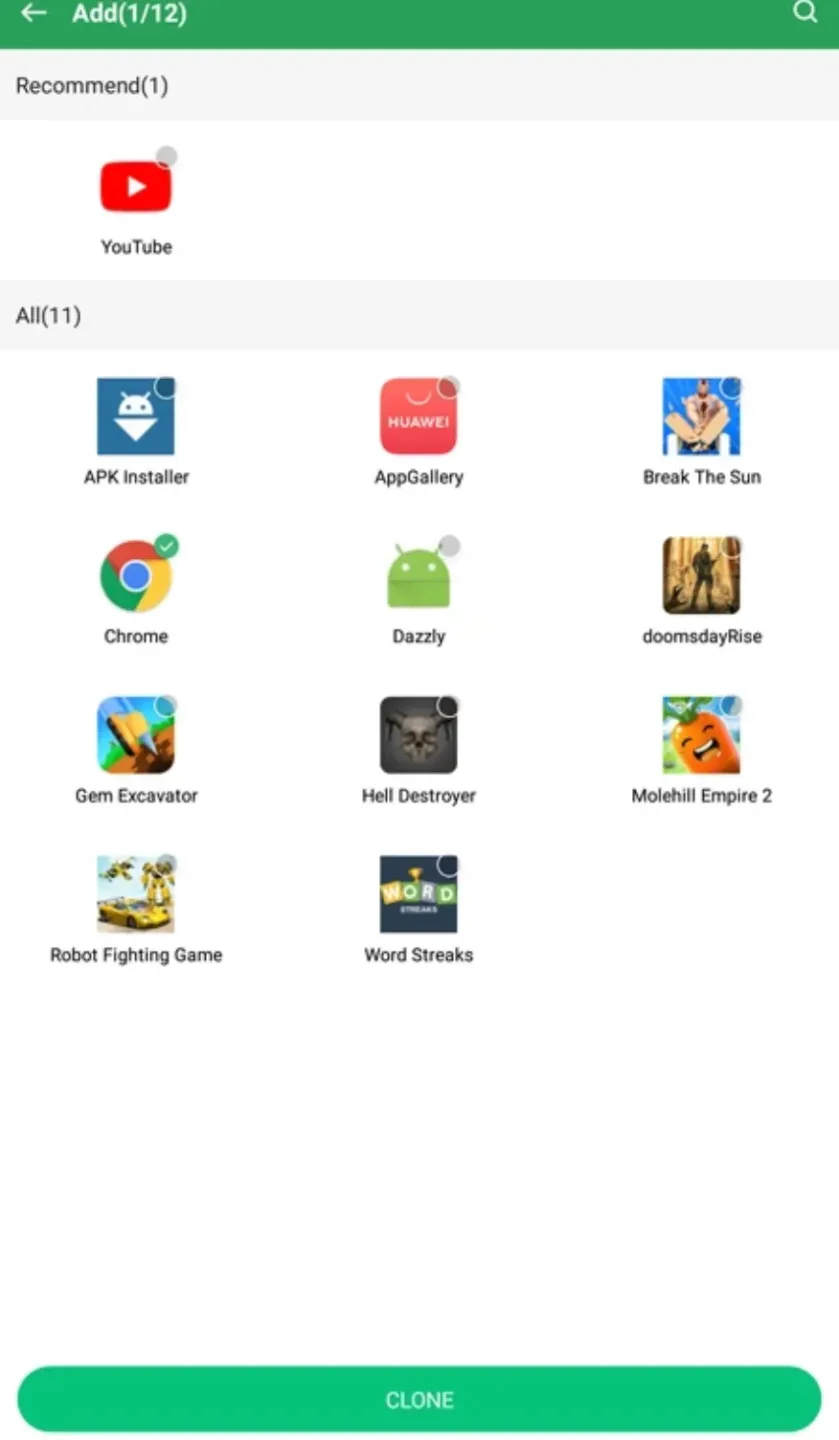
Gspace allows you to clone frequently used Google apps from within the virtual environment and create shortcuts for them on your device's home screen. This enables you to launch apps like Gmail, Maps, or others with a single tap—bypassing the need to open Gspace first—thereby streamlining your daily usage.
Data Isolation for Enhanced Stability
Login credentials and application data remain contained within the virtual space. Synchronization functions work as expected, while your primary system remains unaffected. This separation helps minimize conflicts and ensures the reliability of your day-to-day tasks.
Usage
Open Gspace and grant the necessary permissions to allow it to create a virtual environment.
Inside the environment, select a Google app icon and sign in using your Google account when prompted. Use the built-in app store to find Gmail, Maps, YouTube, and other services, then install the apps you need.
Long-press an installed app and select "Add to Home Screen" to create a shortcut for faster access.
To update an app within the space, long-press the app and select "Upgrade" to open its page in the app store.
Pros and Cons
Pros:
Provides a virtual environment with the Google Play Store on unsupported devices.
Allows the use of Google apps without needing to install standard Google Play Services on your phone.
Supports cloning both Google and non-Google apps.
Supports dual accounts and multiple instances of apps, including Google apps and services.
Suitable for Huawei devices and other hardware affected by the lack of Google Mobile Services (GMS).
The developer states that no user data is collected.
Cons:
Performance for gaming is poor, making it unsuitable for gamers.
Cloned apps can consume a significant amount of storage space, ranging from 100 MB to several gigabytes.
FAQs
Is the GSpace app free to use?
Yes. The GSpace app is free to use, with no hidden in-app purchases.
Is the GSpace app legal?
The legality of this application depends on the laws of your country or region. It is legal in most countries, so you have nothing to worry about.
Is it safe to install this app?
Yes. The GSpace app is completely safe; it functions as a sandboxed application. Therefore, you do not need to worry about its security.
Conclusion
Gspace is designed to enable users to access Google apps. Its primary advantage is that it eliminates the need to install Google Play Services, as Gspace comes with Google apps pre-integrated. If you are having trouble installing Google services on a Huawei device, using the Gspace APK offers an easy solution.








