

KeepSafe is an advanced tool for managing photos and videos. The app offers secure storage for your sensitive media files, protected by methods such as PINs, fingerprints, or passwords, ensuring a user experience that is both secure and convenient. With KeepSafe, you can leverage encryption technology to keep your photos and videos well-protected. Additionally, the app offers a backup option, allowing you to enable cloud backup services to effectively prevent data loss. Furthermore, you can organize your private media files into different albums, making them easy to access whenever you need them.
Click to load YouTube / 点击加载视频
YouTube ↗Highlights:
Everything behind a safe lock: Your secret photo hider locks photos via a PIN, pattern or your fingerprint
Securely sync and hide pictures & videos across devices with your safe, encrypted Private Cloud & access anywhere, anytime
Backup and lock photos or videos to your private photo locker for safe, easy recovery – fear not if your phone is lost, stolen or damaged!
Face-down auto lock photos: In a tight situation? Have your Keepsafe photo hider lock itself when your device faces downward
Safe Send photo sharing: Share & hide photos in your picture vault with confidence: control how long the recipient sees your photo – photos disappear 20 seconds after they are received
For extra privacy, Keepsafe photo locker also doesn’t show up in your recently used apps list!
Photos? What photos?
If each time you show somebody a photo on your phone you're left suffering wondering about what they could find if they start to look through the photos in your gallery, you need KeepSafe.
The concept is simple: KeepSafe acts as a safe where you can save the photos and videos that you want. These photos and videos won't show up in the gallery, and the only way to see them is to open KeepSafe with the correct PIN.
KeepSafe includes other interesting features, such as the ability to share photos with others for a limited time, or creating different private albums.
The free version is fully functional, although the more paranoid should think about switching to Premium. Among other additions, which you can try free for a limited time, you'll find a false PIN that acts as a decoy, showing certain photos instead of the real ones. Deliciously evil!
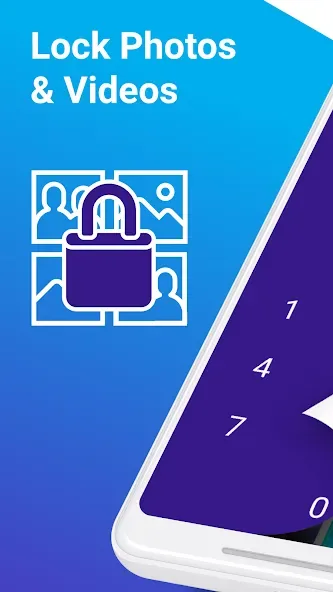
Features:
Military-grade Encryption – All photos and videos are secured with top-tier encryption, making it nearly impossible for unauthorized access.
PIN & Fingerprint Protection – Enhance security by setting up a PIN or using your fingerprint for fast, secure access.
Photo Vault – Store your photos, videos, and even documents in a hidden vault, keeping them safe from prying eyes.
Easy Import – Select photos and videos from your gallery and import them into your Keepsafe vault with just a few taps.
Space Saver – Save phone storage by deleting private images from your public gallery while keeping them securely stored in Keepsafe.
Document Storage – Use Keepsafe to store important documents like IDs, driver’s licenses, and credit cards in a secure, organized space.
Tips and Tricks:
Set a strong PIN or password to maximize security in KeepSafe.
Use fingerprint access for quick and convenient unlocking.
Regularly back up your media to the cloud to prevent accidental loss.
Organize your photos and videos into albums for better management.
Check app updates for new security features and enhancements in KeepSafe.
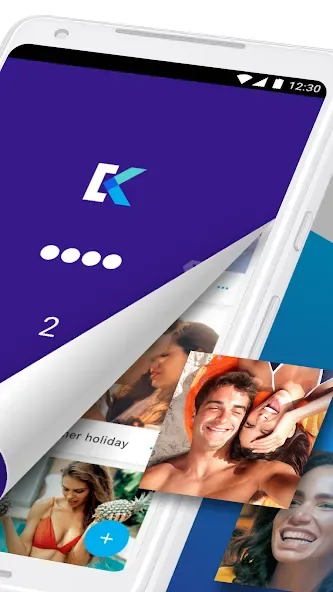
Conclusion:
KeepSafe is a very useful app if you want to keep certain photographs off your hard drive, or, at the very least, if you prefer not to have all your photos in plain sight. With this miniature vault, you can store your most compromising pictures and videos safely.








