

Samsung Smart Switch Mobile is a data-transfer tool designed for Android devices, allowing users to move apps and personal data between phones. The transfer process is straightforward: data can be moved via a Wi-Fi connection or by using a USB cable. Furthermore, the layout of your home screen can be replicated exactly on the new device, making the transition seamless and convenient.
Features
Copy Your Everyday Content
Samsung Smart Switch Mobile can transfer contacts, text messages, photos, videos, music, documents, notes, calendar entries, call logs, wallpapers, and alarms. It can also copy certain settings, such as saved Wi-Fi network information. This helps you migrate your essential content to a new Galaxy device without having to move each item manually.
Select What to Transfer
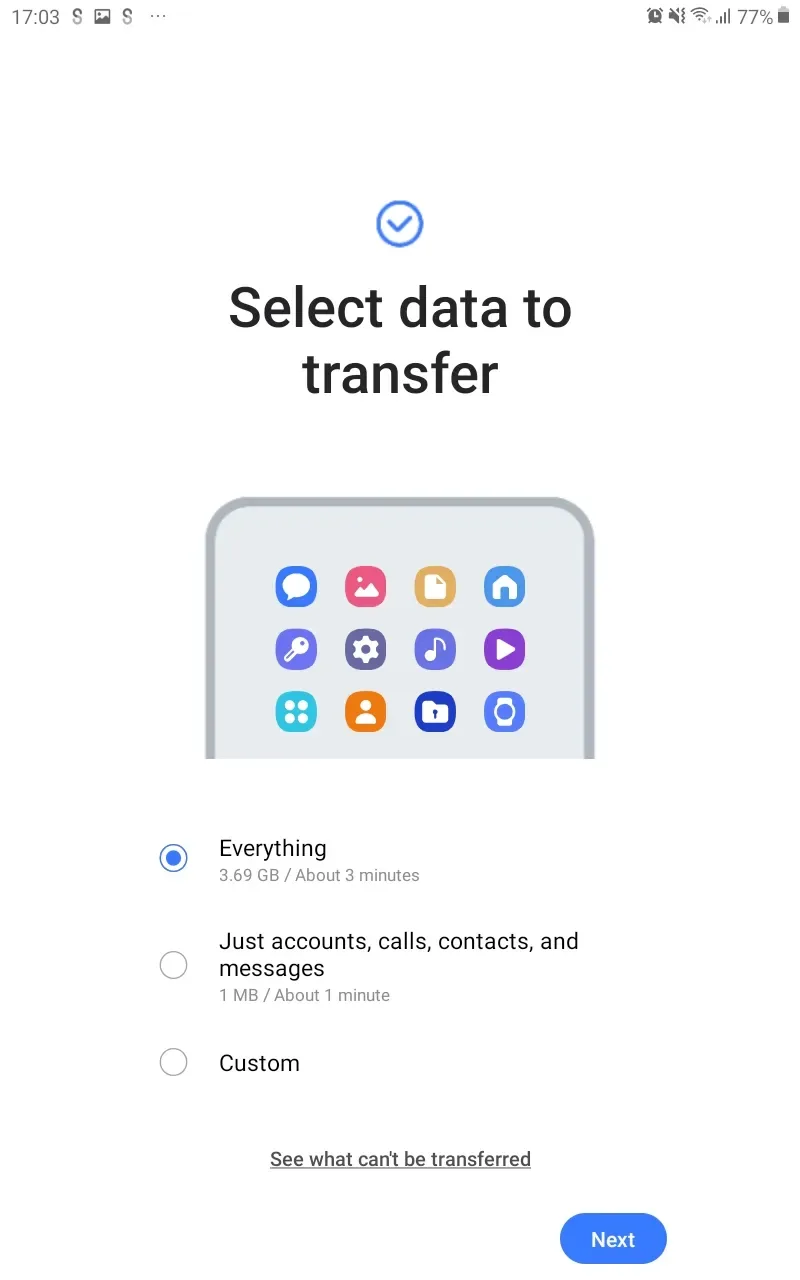
Before the transfer begins, you can review the available categories. This allows you to exclude files, old media, or settings that you no longer need on your new device, ensuring the transfer process focuses only on the content you wish to keep.
Use a Wireless or Wired Connection
Samsung Smart Switch Mobile supports wireless transfers via Wi-Fi Direct. Alternatively, you can connect your devices using a USB cable—a method that may be better suited for transferring large libraries of photos or videos. The best method depends on the devices and accessories you have available.
Import Content from an iPhone
You can transfer eligible content from an iPhone to a Galaxy device via iCloud. This option is useful if you cannot connect the two devices directly. You may need to sign in to your iCloud account before selecting the content you wish to import.
Retain Galaxy Settings
When migrating from one Galaxy device to another, Samsung Smart Switch Mobile can transfer supported app data and your home screen layout, helping you maintain your preferred configuration on your new device. Since data compatibility may vary when coming from a non-Galaxy device, the selection screen will clearly indicate what can be copied.
Usage
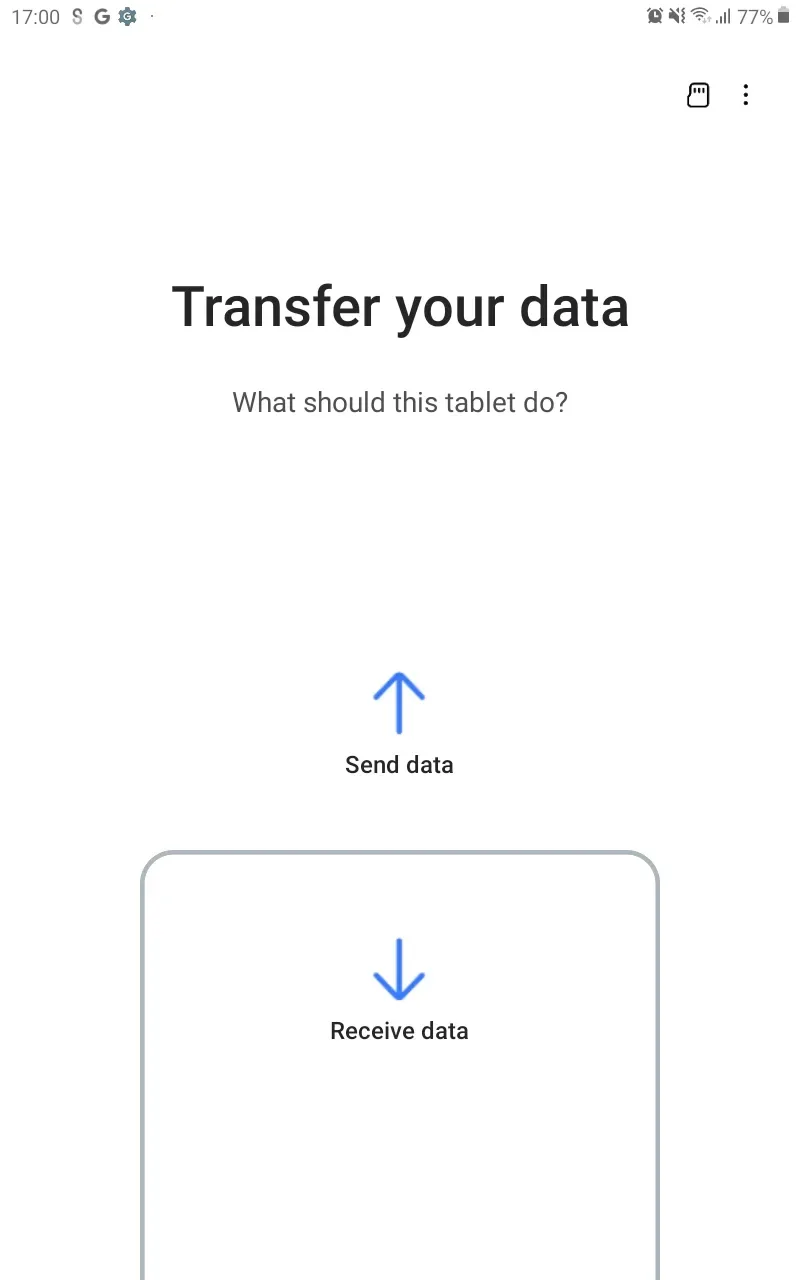
Open Samsung Smart Switch Mobile on your new Galaxy device and select the option to receive data.
On your old device, select the option to send data, and then specify the source—whether it is an Android phone, an iPhone, or a supported storage device. Connect your devices via Wi-Fi Direct or a USB cable, or sign in to iCloud when importing eligible content from an iPhone.
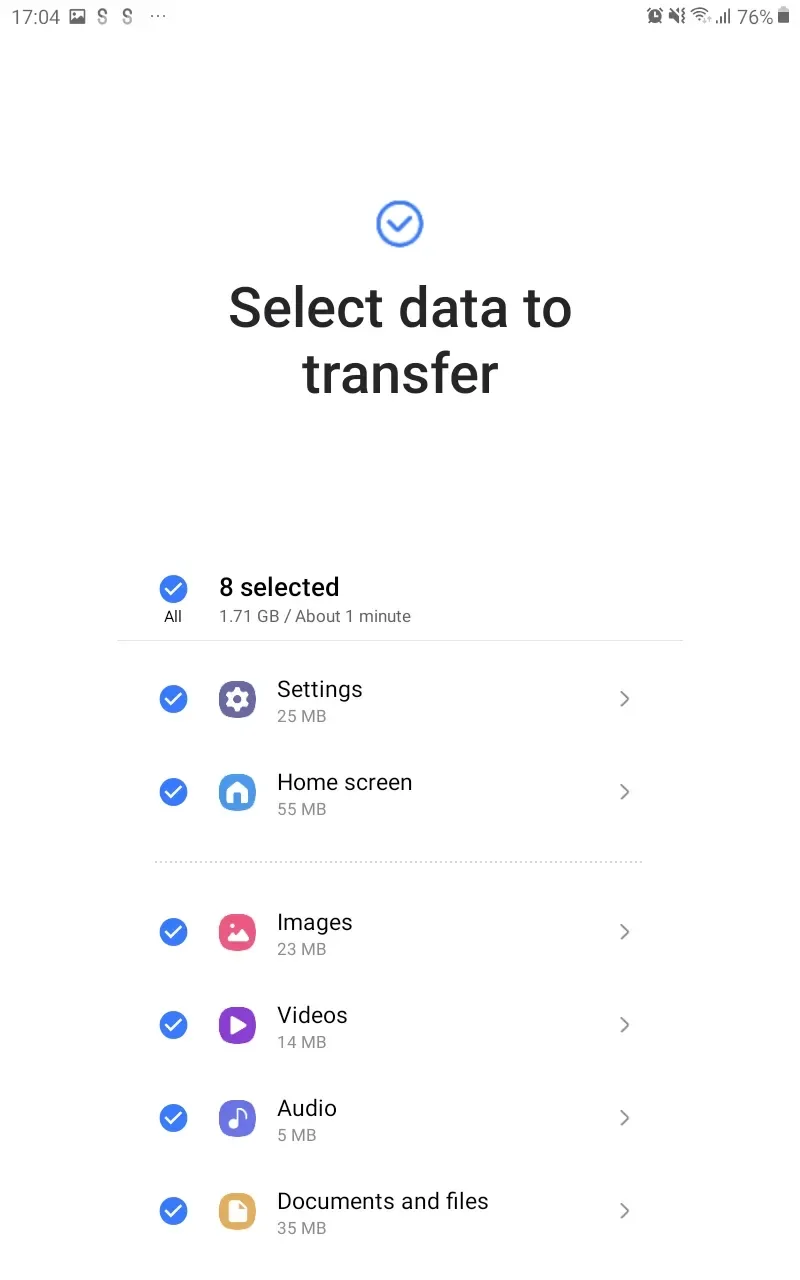
Review the categories displayed on your new Galaxy device, then select the files, settings, and data you wish to copy.
Begin the transfer and keep the devices connected until the app confirms that the selected content has been successfully copied.
Tips
Samsung Smart Switch Mobile copies your data rather than deleting it from your old phone. Once the transfer is complete, your original files remain intact, giving you time to check your new Galaxy device before deciding what to do with your old one. You can review the transferred data on your Galaxy device category by category after the setup process is finished.
The connection method you choose is key when transferring files to your Galaxy device. Wireless transfer is highly convenient if both devices are close to each other and the connection is stable. For a large volume of files, a USB cable may be a better option; alternatively, you can use a microSD card or a USB OTG storage device for a backup-based transfer.
Pros and Cons
Pros:
Easy to set up and use
Can suggest similar apps available on Google Play
Lightweight application
Cons:
Requires a Galaxy device as the destination
Compatibility varies depending on the device and operating system
Conclusion
Samsung Smart Switch Mobile is an excellent tool for when you are setting up a new Galaxy phone or tablet and want to keep important content from your previous device. It is specifically designed for users migrating to a Samsung Galaxy device from various Android phones or iPhones. The app focuses on copying your selected data to the new device, ensuring that the original content remains on your old phone. Samsung Smart Switch Mobile is highly useful for preparing your Galaxy device for daily use.








