OKEN Scanner is an outstanding document processing utility that helps users easily convert their paper photos into neat and standardized document content using powerful optical character recognition technology. OKEN Scanner presents users with a stylish and intuitive interface, powerful and user-friendly features, allowing them to experience high-quality document scanning and conversion, excellent cloud storage and sharing services, and easily manage and save their important files. OKEN Scanner supports automatic trimming and enhancement, ensuring your document edges are clear and perfectly aligned. This application supports common mainstream document formats, making it a powerful assistant in your work.
Click to load YouTube / 点击加载视频
YouTube ↗Excellent Function of OKEN Scanner
Automatic Trimming and Enhancement
A major advantage of OKEN Scanner is its ability to automatically detect and trim document edges. Even when scanning at an angle, the system accurately identifies document boundaries, ensuring straight, perfectly shaped scans.
After edge detection, the application automatically trims the document, resulting in neat, square scans without manual editing, saving time and effort.
Export to Multiple Formats
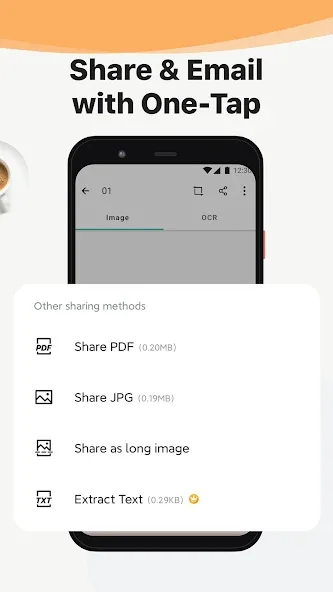
Scanned documents can be saved or shared in multiple formats, including PDF, JPG, Word, and TXT. For PDF scans, OKEN Scanner offers multi-page export, allowing you to merge multiple pages into one file, saving time and increasing efficiency.
Comprehensive PDF Tools
The application includes a suite of PDF editing tools, enabling users to easily merge multiple PDF files. This is especially useful for creating presentations, sharing important documents, or compiling reports.
Cloud Storage Integration
OKEN Scanner integrates seamlessly with major cloud storage services such as Dropbox, Google Drive, and Evernote. This makes secure storage and management of scanned files simple and convenient.
Amazing Features of OKEN Scanner
Free Premium Version
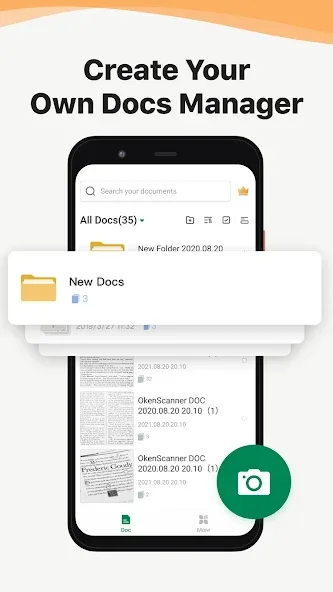
A major advantage of OKEN is that the application can be used without registration. However, if you register, you can unlock the premium version completely free of charge, gaining up to 10 GB of free cloud storage space. With it, you can store all your scanned documents in the cloud.
Many Other Features
While OKEN's primary function is scanning, it also offers some interesting additional features. You can add custom watermarks to PDF documents, merge multiple PDF documents into one, add passwords to PDF documents, and even rearrange the page order of PDF documents. You can also compress text files or create image collages. All of these features can be found in the "Tools" tab.
Fantastic Characteristics of OKEN Scanner
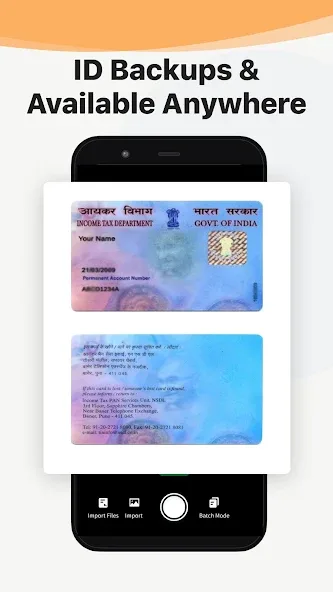
OKEN - CamScanner PDF scanner boasts a clean and intuitive interface, making it easy for users of all skill levels to use. Its scanning capabilities are reliable, quickly digitizing documents, receipts, notes, and more. Automatic edge detection and cropping ensure accurate scanning, reducing the need for manual adjustments. Furthermore, the app supports batch scanning, allowing users to efficiently process multi-page documents.
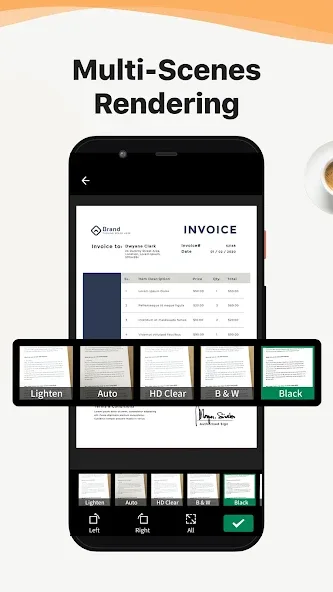
This app also features numerous advanced functions, such as Optical Character Recognition (OCR), which allows users to extract text from images for easy editing and sharing of document content. It can also scan documents and export them to various formats, including PDF and JPEG, to meet the needs of different users. In addition, the app seamlessly integrates with major cloud storage services, ensuring your documents are accessible on multiple devices.
Wonderful Highlights of OKEN Scanner
A major highlight of OKEN is its use of OCR (Optical Character Recognition) technology to recognize text in scanned documents. This means users can easily search for specific words or phrases in scanned documents without manually flipping through each page. Furthermore, OKEN supports multiple languages, making it convenient for users worldwide.
Another major highlight of OKEN is its ability to directly share scanned documents within the app. Users can send scans via email, instant messaging apps, or even upload them to cloud storage services like Google Drive or Dropbox. This allows individuals and businesses to easily and quickly share important documents with others.
Summarize
In conclusion, if you are looking for a reliable and fully functional Android document scanning app, OKEN – Camscanner PDF Scanner is definitely worth a try. Its powerful scanning capabilities and user-friendly interface make it one of the best choices on the market.