

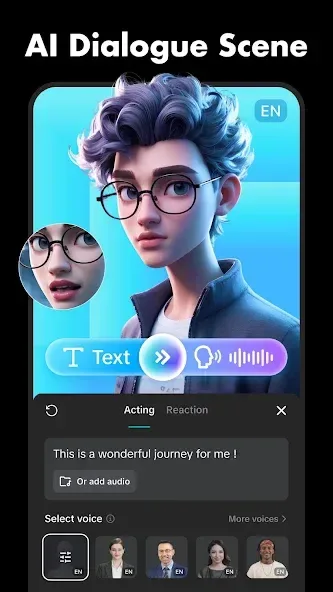
CapCut is a video editor designed for the Android operating system. It offers a comprehensive suite of professional-grade editing tools. Users can upload their own footage, perform basic edits, and enhance their projects with a wide array of visual effects, text overlays, and advanced techniques like keyframing and clip splitting. The app provides an extensive library of editing assets, empowering users to create videos exactly to their liking. Additionally, CapCut incorporates artificial intelligence features that assist with routine editing tasks, allowing users to process their videos more efficiently. While the learning curve can be steep, mastering the software makes it an indispensable tool for any creator.
Click to load YouTube / 点击加载视频
YouTube ↗Features
Timeline Editing
CapCut allows you to arrange video clips, photos, text, audio, and visual elements on a multi-track timeline. Throughout the editing process, you can trim, split, merge, reorder, and preview your project. This feature is particularly useful when your video requires multiple scenes, subtitles, background music, or layered elements.
Motion and Clip Control
You can adjust motion using keyframes and utilize motion tracking to follow subjects within your footage. CapCut also includes tools for freeze-framing, speed ramping (speed curves), optical-flow slow motion, chroma keying (green screen), and video stabilization. These controls are essential when you need to alter the pacing of a clip or overlay elements onto another video.
Subtitles and Background Tools
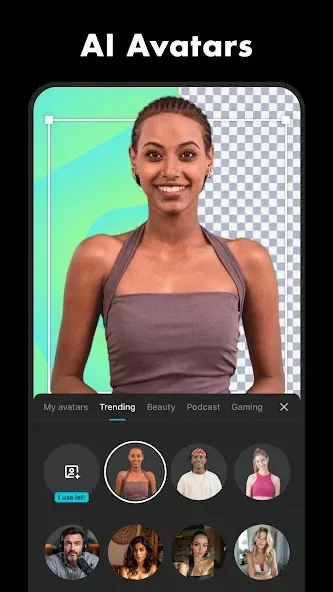
CapCut can automatically generate subtitles based on spoken audio, which you can then edit before exporting. It also offers text-to-speech functionality and AI-powered tools for removing backgrounds from images or videos. This makes it easy to incorporate voiceovers and text-based content without needing to record every line yourself.
Text, Effects, and Templates
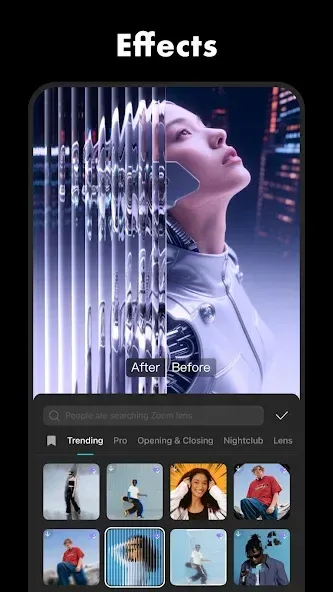
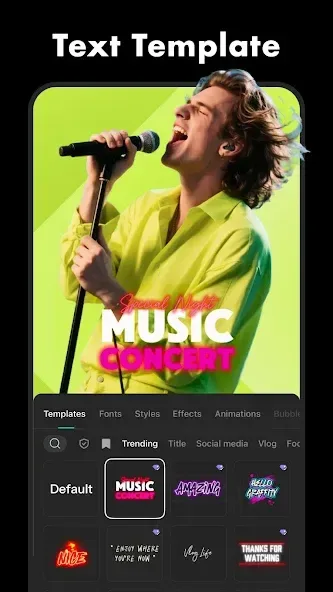
You can add subtitles, stickers, custom fonts, text templates, transitions, filters, and a variety of visual effects—such as glitch, blur, and 3D effects. CapCut templates provide a foundational layout for short-form videos, with editable text fields that allow you to customize the content. Please note that some effects, templates, and AI tools may be labeled as "CapCut Pro" content within the app.
Audio and Export Settings
CapCut includes a built-in library of music and sound effects; you can also extract audio from existing videos or record your own voiceovers. You can also reduce background noise and enhance speech clarity before previewing your results. Once your project is complete, select your desired export format and resolution—supporting up to 4K 60fps and Smart HDR.
Usage
Open CapCut, create a new project, and select the videos and photos you wish to use.
Place your chosen media files onto the timeline, then trim, split, or rearrange the clips until they are in the order you planned.
Add text or auto-captions as needed, and incorporate music, extracted audio, sound effects, or recorded voiceovers.
Apply transitions, filters, special effects, or motion controls only after previewing the impact of each change.
Choose your preferred format and resolution, export the final file, and share it via your chosen platform.
Pros and Cons
Pros:
Equipped with a comprehensive suite of editing tools.
Intuitive interface makes video editing easy.
Elevate the quality of your social media content.
Learn the fundamentals of video editing.
AI-powered tools automate tedious tasks.
Secure, encrypted data.
Cons:
Video quality may decrease after export.
Free-tier users may encounter frequent advertisements, including during the export process.
FAQs
How can I edit and create videos using the CapCut app?
Open a project and unleash your creativity using the app’s extensive toolkit, which includes basic, advanced, and AI-driven editing features. You can also adjust playback speed, slowing down or speeding up your footage.
Is it easy to edit and create videos on CapCut?
Yes. CapCut uses a timeline-based editing system, allowing you to layer various elements to craft your best work. You can select and edit any specific portion of a video clip—for instance, if you want to add a dynamic rhythm to your footage.
Can I add music to my video projects?
Yes. CapCut offers a vast library of music and soundtracks, along with a wide variety of stickers and fonts to add extra flair. With this app, you can produce high-quality, HD videos in just a few minutes.
User Reviews
This app is very easy to get started with, thanks to its tutorials and guides. You can access advanced features for free. My videos have reached over 250,000 views—CapCut truly makes dreams come true!
I absolutely love this app! It works perfectly, though I’d love to see a few minor optimizations added.
It’s packed with fun fonts, filters, lighting effects, and more. I’d highly recommend it to beginners—if you’re not sure how to start from scratch, you can simply use one of the many templates available. I personally chose to build from the ground up, and after a few hours of hard work, the results were well worth it. All in all, I’m a huge fan of this app and highly recommend it.
Conclusion
CapCut not only helps you create visually stunning content, but it also allows you to keep learning as you go. If you’re tired of seeing low view counts and minimal engagement on your social media, it might be time to incorporate CapCut into your content creation workflow.








