Document Scanner is a powerful file scanning software that uses your phone's camera to intelligently scan various documents and images and automatically create PDFs for easy viewing. It also automatically corrects skew and missing parts, allowing users to view the most complete document, improving efficiency in both work and life. Interested users can download this software from this site to begin their convenient and fast document scanning journey.
Features:
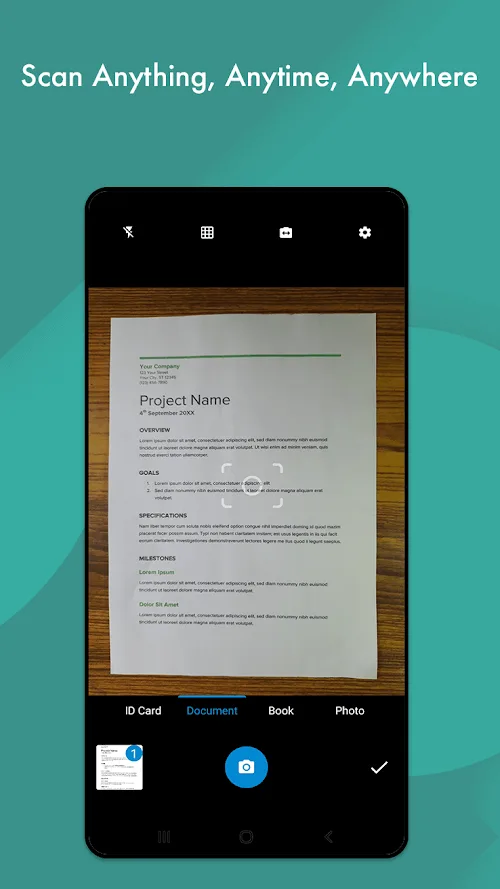
One-Tap Conversion: The conversion process of the application is carried out in a simple step-by-step sequence. Users just need to use one touch to complete the conversion process. The scanner will scan through many types of documents using the device’s camera.
All-in-One Format: Users can convert multiple formats to a new format. All files of different formats can be converted to PDF/JPG. All formats are converted to PDF for easy sending or interaction. The application is truly all-in-one as it can receive and process a wide range of formats.
Cloud Print Ready: After performing the scanning process, users can print the results immediately. The files will be saved and edited directly on Cloud Print. The results are printed instantly or downloaded in PDF format. Printing becomes easier and simpler with the support of the application.
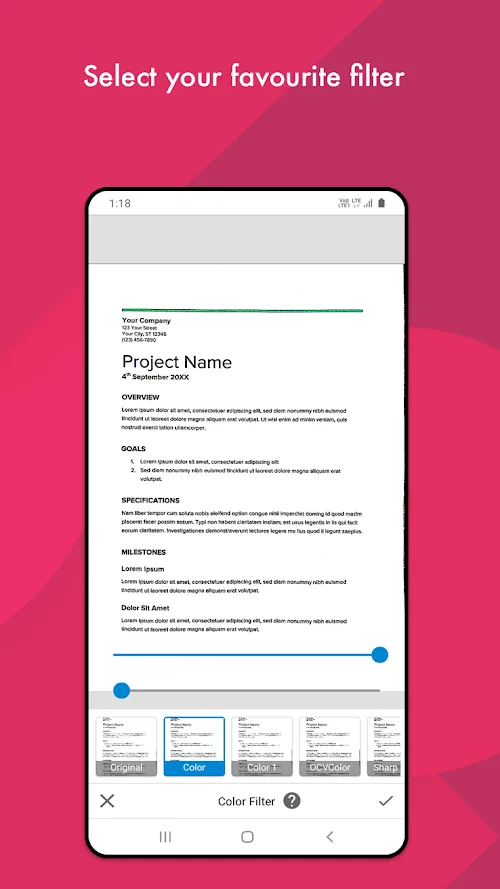
Auto Enhancing: The scanning process is done professionally by the application. The text quality will be improved automatically without any adjustment. The resolution and filters are carefully selected during the retouching of the scanned text.
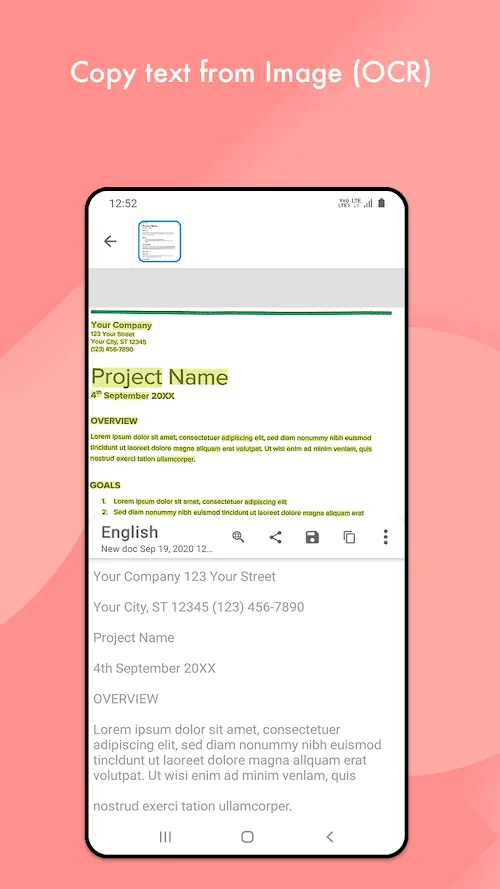
OCR Text Extraction: Optical Character Recognition makes it easier for the application to import and extract text. The text extraction is done in a simple process. The user can copy or search the extracted text. This text is also saved and shared as per user requirement.
E-Sign & Watermark: The application allows the user to add digital signature as per requirement. Personal signature will be added to the document immediately after scanning and exporting. Watermarks can also be added or removed as per user requirement.
Highlights:
Scan All Documents With All Common Features: If you are a student, student, or office worker, dealing with a lot of documents will be very normal. And with that, you will definitely encounter cases where you need to urgently scan some documents and pass them on to others with PDF files. Solving this problem will be a straightforward thing if you have a Document Scanner right on your phone. The application will be a handy mini scanner in your pocket with maximum common features that a normal scanner possesses.
Convert Scans To Basic Formats: Along with scanning all your documents, the application also supports you in converting the scans into many different formats. Basic formats such as images, JPEG files, PDF files, etc… will be easily supported for users. These formats will be able to help you fulfill different requirements in your work, and a scanning application that can convert documents into multiple formats will be an advantage.
Great Documentary Organization: With office jobs that always require orderliness, you will feel more excited about your work if you know how to organize your documents. And this application can also assist you to do this to the maximum. Coming to the application, all the documents that you have ever scanned through the application will be automatically arranged in an elegant and tidy way right in the application’s document store.
Share Important Documents Easily: And to be able to help you do your work seamlessly, the app has also incorporated a direct document sharing feature. After being scanned and edited by you, documents will be able to be shared directly with the recipient exceptionally quickly. Your job is simply to perform a few taps on the screen, and the application will help you share simply and easily.
Export In Various Formats: Document Scanner is a versatile application and is widely used for its versatility and convenience, and it offers users a variety of formats for export. The impressive thing is that before exporting, users can copy all the documents for personal use and then export them to text or PDF format. Users can even share them directly to other platforms or a certain target in person immediately. The direct sharing function saves users time for backing up, even sending to superiors immediately after the document is finished.
User Reviews:
This is really one of the best app for scanning, and I am using it from the very beginning of the 2021, but according to me the recent update is not user-friendly. It's more time consuming to create a pdf and the filters are not good. Please shift it to the last version. That interface was amasing and user-friendly.
Best app for documents scanning. I scanned 147 camera images directly to make it one pdf. I had Adobe scan for a very long time, and when I was scanning from that, it was just showing quitting unexpectedly!! Maybe couldn't handle the load. But then I got to the play store and found this app and used it, it was so smooth. Thank you guys. I scanned 147 pages into dpf very smoothly.
This application in my opinion is the best for scanning documents. Also it makes various options like rearranging pages in the pdf, highlighting and changing the colour for better clarity and also the best feature is that it detects the writing/printed part and crops out the unwanted part of the page (it is accurate 90% of the times). Only thing is that the number of ads should be reduced a bit. Other than that nothing to complain about.
I love this app. The ads are unobtrusive and the document scanner tool is fast and accurate. It also gives the options of several different filters for the scanned page. This pdf app has sacved me multiple times. It is the ap to go for if speed and efficiency is needed. I was able to scan a 100-page document complete with OCR text and filters in under an hour. On top of this all, it's made in India as well!
FAQs:
Q: Is the app PDF Scanner free to download?
A: You can download the MOD version for free with unlocked features.
Q: Can I convert scanned documents to PDF?
A: The app lets you easily convert scanned images into PDF files.
Q: Does the app support cloud integration?
A: You can save and share documents via cloud services like Google Drive and Dropbox.
Q: Is the scanning quality high?
A: The app provides high-quality scanning with exceptional clarity and detail.
Q: Does the MOD version include ads?
A: No, the MOD version is ad-free, ensuring an uninterrupted experience.
Final words:
Document Scanner will be an extremely effective tool for those who work in offices and need to scan documents continuously. All of your scannings will be done through a common scanner; in some emergencies that require you to scan a few documents quickly, what will you do? If you have this application right in your phone, it will be able to turn your compact phone into a highly efficient mobile scanner.If you are a student, student, or office worker, dealing with a lot of documents will be very normal. And with that, you will definitely encounter cases where you need to urgently scan some documents and pass them on to others with PDF files. Solving this problem will be a straightforward thing if you have a Document Scanner right on your phone. The application will be a handy mini scanner in your pocket with maximum common features that a normal scanner possesses.