

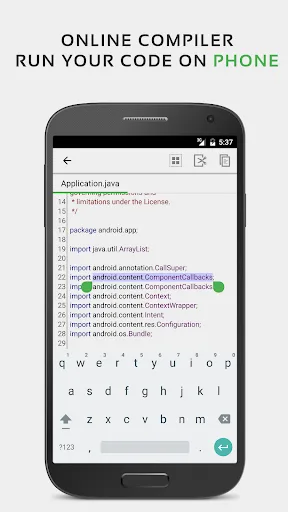
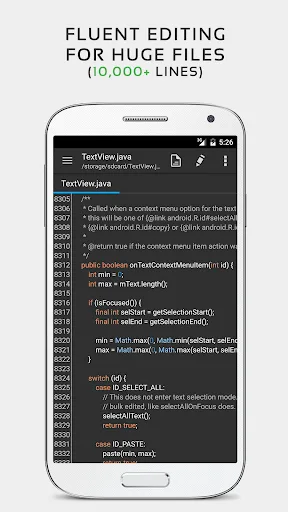
QuickEdit Text Editor Pro is a text and code editor that helps you quickly edit text or code on your Android device. It allows you to switch between multiple files, enabling you to quickly browse multiple documents. The app has a clean design and adapts to various screen sizes for the best user experience. Large files are generally harder to read and take longer to read, but QuickEdit Text Editor Pro solves that problem! It keeps scrolling smoothly when working with long documents, and you can jump directly to any line for more efficient document processing.
Usage
Open QuickEdit, tap the file icon, select a local file, or create a new document.
Start typing or pasting, then adjust indentation and line numbers from the toolbar for clarity.
Next, use the find and replace function to find variables, headings, or phrases, and check each match before confirming.
Open another file using the tab bar and switch tabs as needed for side-by-side comparison.
When you're ready, tap "Save," select a folder, and confirm the filename to complete the changes.
Features
Programming Language Syntax
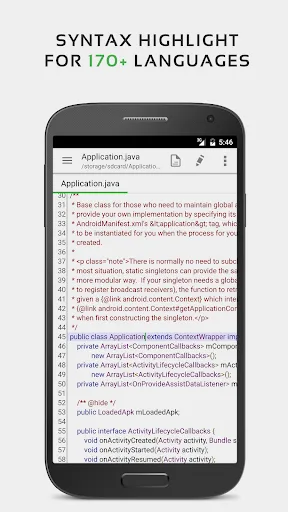
QuickEdit Text Editor Pro offers syntax highlighting for 50 different programming languages (such as Pascal, C++, etc.) and boasts full functionality, including line numbers and automatic indentation, functioning like a standalone programming application. You can choose any syntax for any programming language, or use the automatic mode where the application automatically recognizes the language you're writing.
The application supports editing over 10,000 lines of code, making it convenient for editing large files. All the characters you need are included, and multiple character colors are available for selection. Therefore, you can edit multiple programming languages and enjoy all their features with just one application.
Text Input Support
This application features several practical improvements designed to help users work more efficiently. QuickEdit Text Editor Pro supports displaying line markers, making it easier to find the lines you need. Simply type the line number to automatically display the desired line without browsing. You can also quickly and easily search for characters, allowing for faster editing and replacement. Furthermore, the application supports physical keyboards, making it convenient to edit with an external keyboard.
Easily Edit Files
QuickEdit Text Editor Pro allows you to open and edit recently saved files, as well as system files on rooted devices. You can also access files in cloud storage applications for editing. After completing a draft, you can save and preview the HTML file. If further editing is needed, you can mark the file for quick access later.
Highlights
A major selling point of QuickEdit is its support for over 50 languages. You can send files from one system to another without converting them. Enabling the program's syntax highlighting feature allows you to see syntax highlighting as you type code. You can export projects and save them in the desired format to complete them. Files can be named and saved to a specified location. The application allows users to access completed projects. Once development is complete, you can open the saved HTML file to view the final product.
Because it can be used on any computer or Android device, users can confidently modify and save code. Cloud file storage and editing locations are also easy to find.
Advantages and Disadvantages
Advantages
Supports editing plain text files and code; supports over 50 languages
Fast loading speed on mobile devices; powerful application performance
User-friendly interface with dark and light themes.
Convenient productivity features, such as undo/redo and syntax highlighting.
Disadvantages
Frequent ads in the free version can disrupt the user experience.
The inconvenient placement of ads poses a risk of accidental clicks.
Summary
QuickEdit text editor stands out for its rich feature set, suitable for both everyday and professional use, making it ideal for anyone looking to enhance their text editing skills. Users can download QuickEdit text editor to explore its numerous tools and features designed to efficiently support a variety of editing tasks.








