
Screen Recorder Video Recorder is a screen-recording application designed for mobile devices. It allows users to capture screenshots and record gameplay, as well as edit the resulting videos and photos—adding filters, special effects, music, and text, or performing tasks like cropping, rotating, and merging—before sharing them quickly with friends. The app offers a variety of recording options, giving you the flexibility to choose whether to include audio and define the specific area of the screen to record. Once a recording is complete, you can even convert your video into a GIF. For those new to the software, detailed tutorials are provided to help users get started with capturing their best gaming moments.
Features of Screen Recorder Video Recorder:
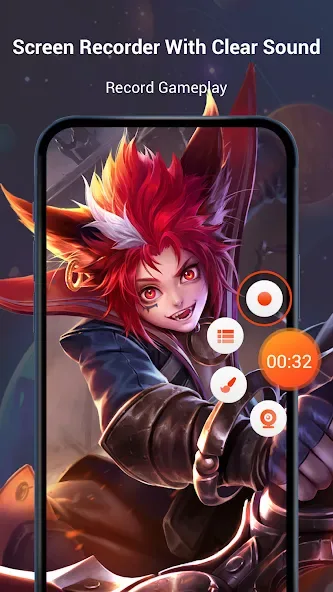
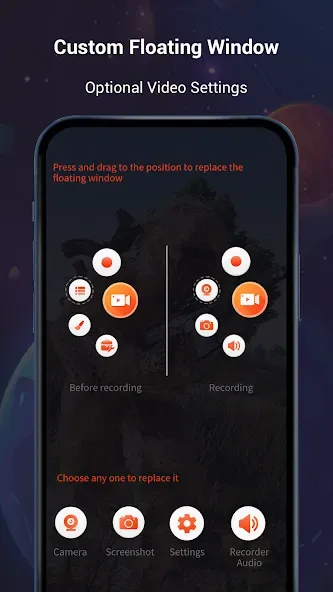
The recorder can start, pause, and resume from a floating control, and the developer says it works without root access. Along with hiding the overlay, users can place a face-camera feed over recordings or draw directly on the screen. These tools make the app particularly suitable for mobile gamers, tutorial makers, and social video creators who want to narrate what happens on-screen.
Capture settings cover portrait and landscape orientations, plus widescreen, vertical, and square aspect ratios. The developer lists resolution up to 1440p, a 12 Mbps bitrate, and 60 fps recording, with separate HD and fast modes. Internal audio recording requires Android 10 or later, although microphone recording is also available. That Android restriction matters if clean game sound is a priority on an older device.
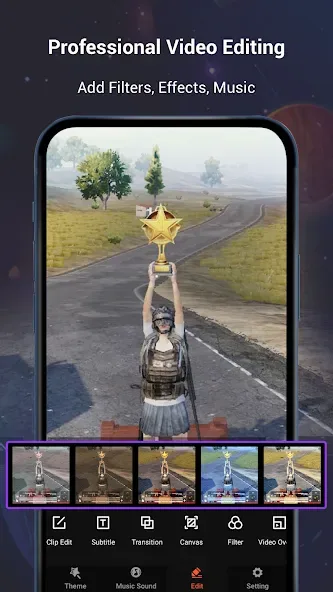
The editing suite goes much further than basic trimming. It includes splitting, merging, reversing, duplicating, rotating, cropping, compressing, and creating collages. Video can also be converted to MP3, which is handy for extracting narration or other audio without turning to another app.
Mosaic blur can conceal sensitive areas, while filters, transitions, subtitles, animated stickers, GIFs, themed effects, and multiple music tracks cater to short social clips. Local songs, recorded voice, and sound effects can be added as well. The sheer selection may be unnecessary for someone who only wants raw screen captures, but having privacy tools and practical edits beside the recorder is more useful than a collection of decorative filters alone.
Functions of Screen Recorder Video Recorder:
Magic Brush: doodle on screen and quickly add rectangle, circle, arrow, etc. while recording
Handy Screen Capture: one-tap to capture screenshots and video and share it
Countdown timer: a fully prepared recorder
Volume adjustment: adjust volume for different audio sources
Video trimmer: Trim, merge and remove the middle of videos or remove both sides
VIdeo to MP3: Easy to convert video into mp3 file
GIF maker: A GIF recorder help you record the screen as GIF
Photo Editor: Various editing functions,rotate, cut, and crop your screenshot
Funny stickers and texts: to make your videos and screenshot stand out
Music video maker: speeding up, slowing down and adding music
User Reviews of Screen Recorder Video Recorder:
its really good the only down bit is the adds and some times it will stop recording and the bubble will get off but other then that its good just needs good wifi bc it gets lagging when wifi or data is low.
Although I DO have complaints about the repetitive ads, this was still a 5☆ worthy app, especially since this is the BEST screen recorder app by far... I can actually get top-class, good-quality footage without having to pay an arm and a leg... 5/5, could work on the ads though...
I use this app to make video and upload in my YouTube channel why I'm use this app to record video because other video record app are no have some settings my problem in other apps is if my phone of the screen and I open back the video is end and I make Minecraft video I taked and I check the video is very glitch like I Breck a block but the brecked sound is I heard early this to problem I face in other apps but this app that all problem changed this app is good for your YouTube videos.
this is very I don't laughing but it is very good app that is record audio of recording also and we are saying that also recording this is very nice you download and play this app very nice.
So I've just downloaded the app & I'm still trying to figure out how it all works in the free version. There is also a Premium Version but the price is quite steep @ $19.99 a mo. or $89.99 a yr. (At least that's what I believe I read.) A little too pricey for me. But so far I've been able to record some live seminars and events I've attended & it's worked perfectly!! It recorded the whole thing!!
Summary:
Screen Recorder Video Recorder is designed for effortless screen capturing and video creation. It enables users to record high-definition videos at 1080P resolution and up to 120FPS, making it ideal for creating tutorials, capturing gameplay, or saving video calls. The application supports internal and external audio recording, ensuring high-quality sound alongside visuals. Additionally, it features a built-in video editor that allows users to trim, crop, and rotate their videos, enhancing the final product before sharing.








