

Cross DJ is a multimedia tool designed for the Android platform. It allows users to curate their own DJ sets, offering a wide range of professional-grade settings. Equipped with an intelligent system, the app can automatically blend your mixes. It also features an array of effects that you can select and combine to suit your needs. Furthermore, the software supports integration with various external hardware, including connectivity via USB.
Click to load YouTube / 点击加载视频
YouTube ↗Features
Precise Mixing and Timing
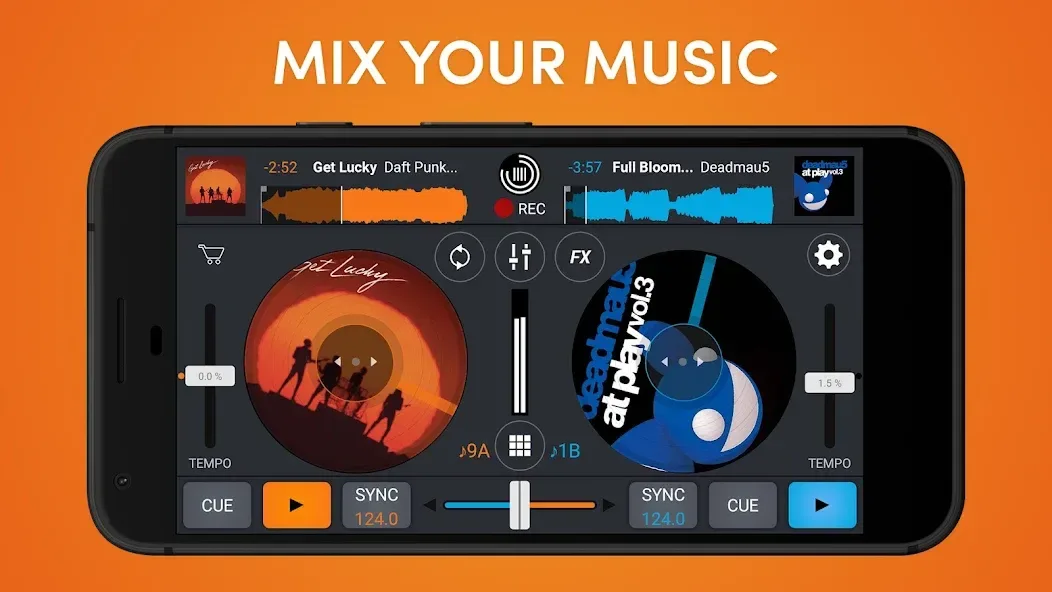
Cross DJ provides high-precision waveform displays, automatic BPM synchronization, quantized cueing and looping, and key detection with pitch lock. These tools help you align musical phrases and ensure transitions remain perfectly timed—keeping your mixes smooth and natural, even when switching between different genres or tempos.
Real-Time Stem Separation
Cross DJ can separate beats from vocals while a track is playing. You can strip away the drums to make room for an a cappella, or remove the vocals to focus entirely on the rhythm. This enables creative transitions and remixes on the fly, with no pre-processing required.
Effects, Loops, and Sampler
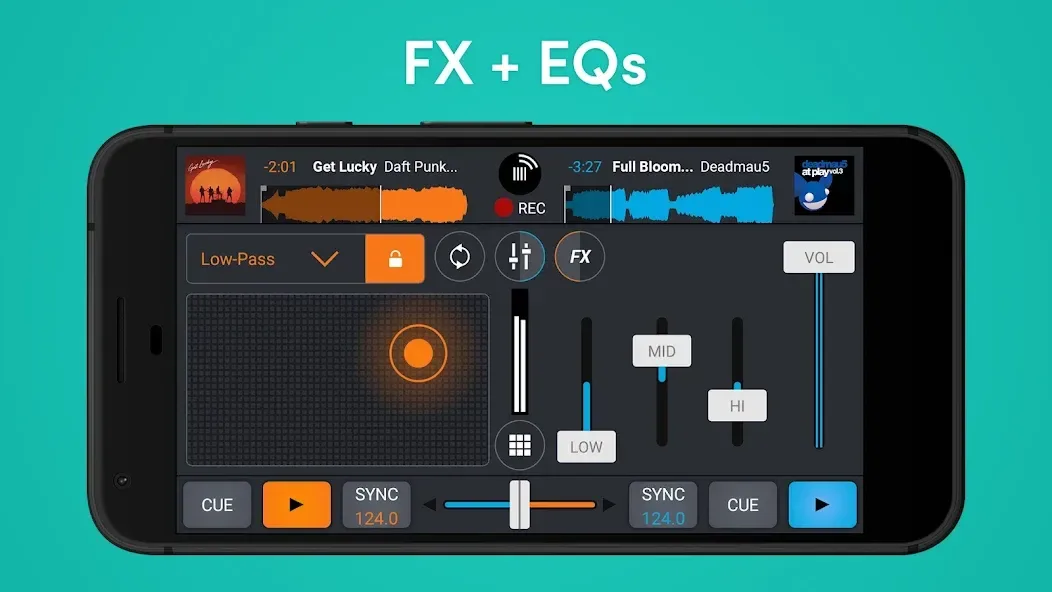
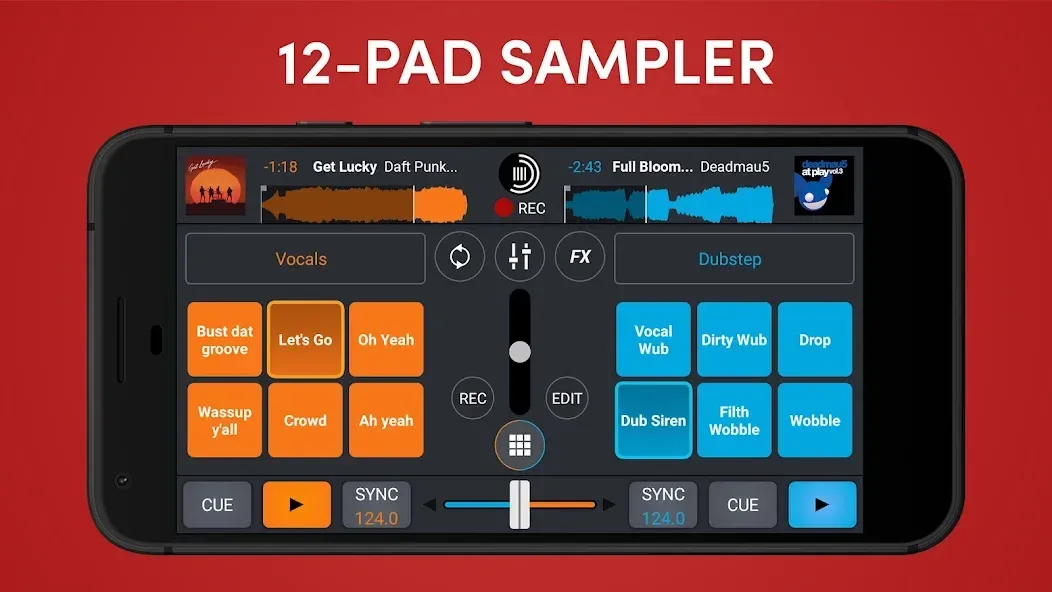
Cross DJ includes over 30 effects, along with a vast library of one-shot samples and loops for building atmosphere. You can record your own samples and trigger them using the sampler and looper functions. Additionally, all effects and loops are tempo-aware, ensuring they stay perfectly synced with your current mix.
Smart Auto-Mixing
When you need a break, Cross DJ can handle the transitions for you. The auto-mix feature analyzes your tracks to determine optimal entry points and crossfade effects—perfect for warm-up sets, background music, or taking a short breather during a performance. Users can also share their creations, which has made the app a favorite among many.
Controller and Audio Routing Support
Cross DJ is compatible with various MIDI controllers, including the Pioneer DDJ-200, DDJ-400, DDJ-SB, and WeGO 2, as well as the Mixvibes U-Mix series. It supports advanced signal routing, including split-channel monitoring, external mixer EQ integration, and multi-channel USB audio. Additionally, Ableton Link allows multiple devices on the same network to stay in sync.
Library Management and Sharing
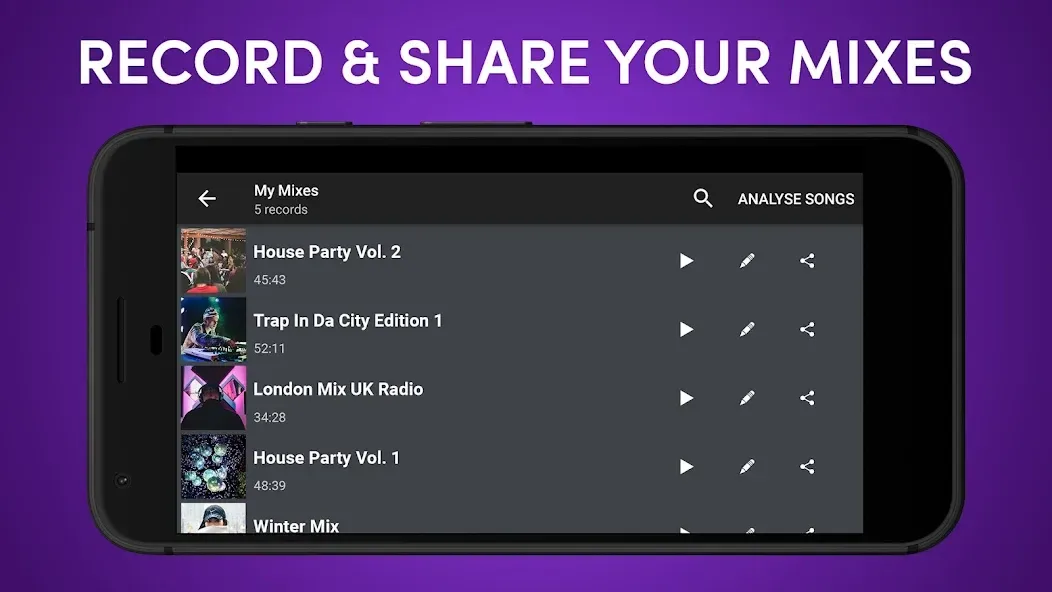
Cross DJ supports the import of common audio formats, including MP3, AAC, FLAC, WAV, and AIFF. You can sort tracks by BPM, key, or other tags, and record your performances as audio files to share. Please note that mixes containing tracks from streaming services cannot be recorded.
Usage
Open Cross DJ, then import local tracks or connect your SoundCloud account within the library section.
Load one track onto Deck A and another onto Deck B; check their BPM and key, and adjust the beat grids if necessary.
Use the sync feature to match the tempo, and enable "pitch lock" (key lock) if you wish to maintain the original pitch while adjusting the speed.
Set cue points for the start and end, create loops for transitions, and add effects or samples to shape the energy of your mix.
Start recording your session, or use the "Automix" feature for seamless transitions. Once finished, save and name your file to share it. Please note that tracks from streaming services cannot be recorded.
Pros and Cons
Pros:
User-friendly interface that is easy to navigate for both beginners and experienced DJs.
Supports a wide range of audio formats, making it versatile for various music libraries.
Offers a robust library management system with features like hot cues and loops.
Includes a variety of effects and filters to enhance your mixes.
Provides real-time track analysis to assist with beatmatching.
Compatible with a wide range of MIDI controllers, allowing for an extensive DJ setup.
Delivers high-quality sound output with low latency, suitable for professional performances.
Cons:
Limited support for video mixing compared to some competitors.
Some users have reported occasional stability issues during long, extended sessions.
User Reviews
After downloading this app, I realized just how powerful it truly is. It has everything I need—mixing capabilities, synchronization, effects, loops, and more. The app is very accessible for beginners like me, yet robust enough for advanced DJs.
I really like this app. Its sound quality, mixing features, and overall characteristics are all top-notch,it helps me turn my ideas into reality.
I really like this app; I’ve already used it to create several mixes, and I’ve even uploaded some directly to my SoundCloud. Everything works well, though it does take a little time to get used to the controls.
I bought this DJ app solely because they claimed it was compatible with Remixlive, allowing you to drag samples directly from the DJ app into Remixlive for live mixing.
Conclusion
The first thing Cross DJ users will notice is that the app transforms their Android device into a genuine DJ console (especially on a tablet). All of Cross DJ’s controls are highly intuitive—either right at your fingertips or quickly accessible. It allows for the seamless mixing of perfectly synchronized tracks, all while delivering excellent audio performance.








