

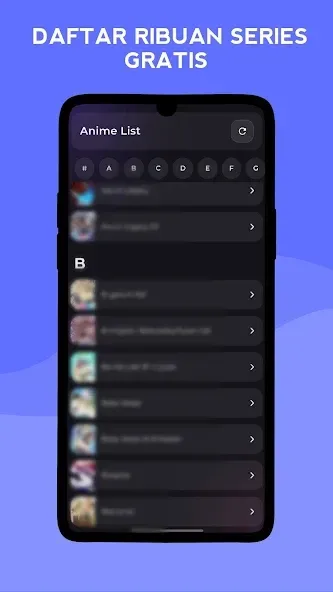
AnimeLovers is an anime streaming application designed for Android. It offers an extensive library of anime across various genres, allowing users to search for their favorite titles. The app provides an ad-free viewing experience and supports offline downloads, enabling users to watch anime anytime, anywhere. It also includes a "watch history" feature, ensuring you never lose track of your progress. Furthermore, users can customize playback speed and video resolution, all while maintaining efficient data usage. The app also features a community section where you can engage in discussions with other users.
Features
Indonesian Subtitles and Ad-Free Viewing
Enjoy thousands of anime episodes and movies with Indonesian subtitles—completely free of advertisements. This ensures a more comfortable, immersive viewing experience, allowing you to stay fully focused on the story without interruptions.
Offline Viewing and Watch History
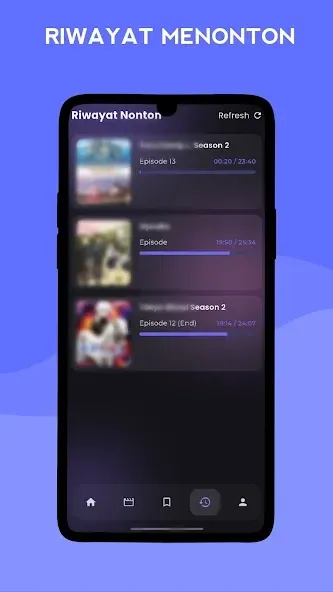
When internet access is limited, the "download" option lets you save episodes for offline viewing. The "watch history" feature tracks your progress, remembering exactly where you left off so you can easily resume watching later—perfect for when you're commuting or traveling.
Playback Controls and Video Quality (Up to 4K)
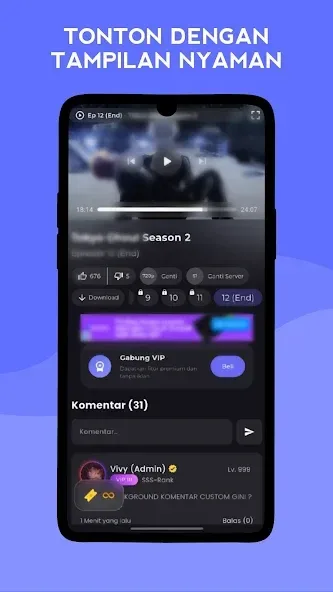
Adjust the playback speed to your preference, and choose video quality ranging from 360p to 1080p—or even up to 4K (where available). This is highly practical for managing data usage or enjoying content on larger screens. A dedicated "cinema mode" focuses the screen entirely on the video, minimizing distractions.
Tools for Library Organization
AnimeLovers provides various ways to keep track of the anime you want to watch. You can subscribe to stay updated on the latest episodes, add titles to your favorites, pin specific series for quick access, or create playlists to organize episodes in your preferred order. These tools help keep your watch queue tidy and easy to manage.
Community Engagement: Likes and Comments
See what others think by leaving your own comments, or by "liking" or "disliking" content. This feedback helps highlight popular content and guides your choices for what to watch next. Furthermore, it makes it easier to discuss series with other viewers and discover lesser-known gems.
Usage
Open the app, grant any necessary permissions, and browse the home screen to see trending or newly added anime.
Use the search or category features to find titles, then tap on a series page and select an episode to start watching—complete with Indonesian subtitles.
Before playing, use the quality selector to choose between 360p, 480p, 720p, 1080p, or 4K (where available), and adjust the playback speed as desired.
For offline viewing, tap "Download Anime" on the series page; you can resume watching later via your "Watch History."
To organize your content, use "Subscribe" for updates, "Favorite" to save items, "Pin" to keep titles at the top, or "Add to Playlist" to arrange your episodes.
FAQs
How long does it take to download AnimeLovers?
The AnimeLovers file size is 33.8 MB. Depending on your network speed, the download may take anywhere from a few seconds to several minutes over a stable 4G, 5G, or Wi-Fi connection.
Why am I unable to download or install the app?
Common reasons include insufficient storage space, an incompatible Android version, an unstable network connection, a corrupted download file, or a lack of installation permissions.
What are the system requirements for AnimeLovers?
The latest version of AnimeLovers requires Android 7.0 or higher. If your device runs an older version of Android, please check if a compatible, older version of the app is available.
Conclusion
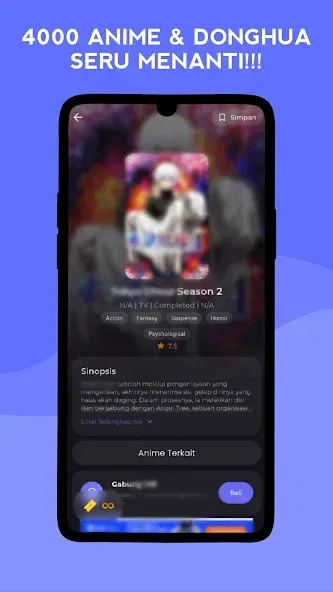
AnimeLovers allows you to watch anime series seamlessly, without any interruptions. Developed by AniVerseID, the app focuses on providing a smooth viewing experience, making it easy to keep up with your favorite shows wherever you are. With a clean, intuitive interface and effortless navigation between episodes, it is easy for both new and long-time fans to get started.








