

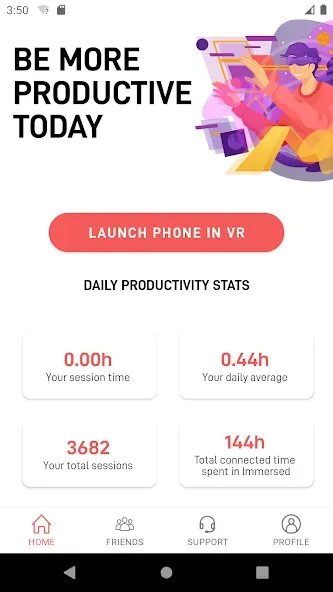
Immersed is a VR screen-mirroring tool designed for mobile devices. It allows you to connect your phone screen to computers of various brands—without the need for physical cables—enabling you to work or relax from anywhere and boost your productivity. With the help of a VR headset, you can project two additional virtual screens alongside your physical computer. The software also facilitates collaboration and discussion with colleagues around the world, making it easier to brainstorm and solve problems together. Constantly updated and refined, Immersed continues to introduce new features, ensuring an increasingly comfortable and seamless user experience.
Click to load YouTube / 点击加载视频
YouTube ↗Features of Immersed:
Virtual Screens Galore: Set up two giant virtual screens right next to your laptop or desktop, like windows floating in VR. Juggle your apps, documents, and everything else without piling up physical monitors.
Distraction-Free Environments: Get lost in a workspace that actually helps you focus. From cozy coffee shops to futuristic lounges, pick your favorite spot and leave distractions behind.
Cowork Like You’re Side by Side: Hang out with coworkers from anywhere in the world—really feels like you’re sitting together, complete with your own virtual desks.
Collaborative Tools: Need to brainstorm or problem-solve? Share your screen, open a virtual whiteboard, and draw things out together—no need to be in the same room.
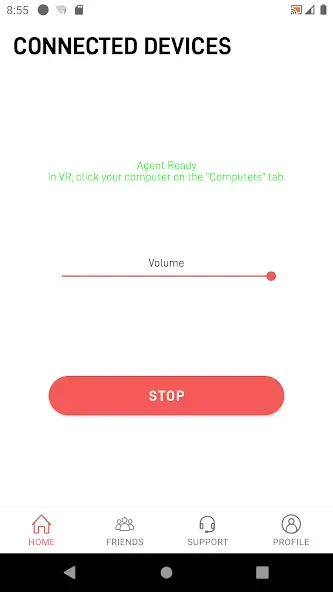
Flexible Compatibility: Doesn’t matter if you’re on Mac, PC, or Linux—hook up your computer and get your phone in VR, no funky gear required.
User Reviews of Immersed:
Amazing app for work, I was a little sceptical about being able to see screens clearly, I work in logistics so at any given time I need be able to see multiple things clearly, and you very much can with immersed, 5 screens to be exact, the only 2 comments 8 would say is the space station gets in the way of the screen if you have them too big, so I would like the screen to overtake the space station Also another suggestion is to have an immersed app on PS5 you can play it with ease through it.
Ran into an issue at the start but checked out the faqs and found guidance. Once I configured my firewall, everything worked great. I use this primarily for school and have my textbook, videos, assignments and ms word all up on different windows. I got it to use when I'm away from my home desk but it has ended up replacing my desk.
World class founder and 5 star product! I have tried all current solutions and Renji Bijoy and team have excecuted here. Questionable metaverse product market fit and seed but I believe if they excecute even half as well as they already have up to this point and keep building I would be happy to buy into it. I believe there is a metaverse future and have experienced much of it that currently exists but ultimately I see this as one of the ultimate productivity hacks. Also join the discord! BestCS.
Great app, but it's missing one KEY feature to make it a game-changer for anyone with a Samsung phone with DeX, which is the ability to auto-launch in VR when the app starts. This would allow use of the phone's desktop environment without a physical monitor at all.
FAQs of Immersed:
Why can’t I connect to Immersed?
Make sure that you are on the same network for your VR device and your computer.
Verify that you are not currently obstructed by firewalls, VPNs, or VMs, since that will interfere with your connection.
Ensure that your drivers are updated on your computer.
If you're stilling having issues, try the troubleshooting steps here.
How can I get multiple monitors in VR?
Enable Immersed's virtual displays through the Immersed Agent or the "Add Screen" button (+) within Immersed. More info here. Immersed does not support multiple external displays or display emulators (Windows & Mac).
Why do I get a black screen when it says I'm connected?
Make sure your monitor is detected by Windows. Some monitors/TVs need to be turned on to be detected.
If you have an Nvidia based laptop, right-click the desktop and click Nvidia Control Panel, then Manage 3D settings. Set the preferred graphics processor to "High-performance Nvidia processor" globally (see here). Restart your computer once this is changed.
If you have an Intel based laptop, make sure you have the latest Intel graphics drivers installed.
Try turning off the Windows Night light feature, HDR or uninstalling applications that change the color of your screen such as F.Lux.
Why do I get a black screen when trying to watch Netflix, Hulu or other streaming service?
Microsoft Edge, Internet Explorer, Chrome and some Windows Store apps have DRM that prevent those services from being captured. Using Firefox solves this problem.
Why do I get a green screen when trying to use the webcam feature?
Your Oculus avatar isn't properly set. Go back out to the Oculus Home Settings > Profile > and reset your avatar, then restart the Immersed VR app and your computer.
Why is my mouse getting stuck at the edge and not moving in a way that the screens in Virtual Reality suggest?
Although the screens in your VR workspace give you plenty of flexibility to change the configurations around, the actual movement of the mouse is governed by your display settings. Immersed will try its best to match those settings when you first run Immersed.By opening the Immersed menu in VR and going to Settings > Arrangement Settings, you can manually match your computer's display arrangement to what arrangement you see in VR.
Conclusion:
With Immersed, you can create distraction-free spaces featuring up to two massive virtual screens. Perfect for solo tasks, this feature enhances focus and productivity, simulating a customized virtual coffee shop or other stunning environments adjusted to your needs.








