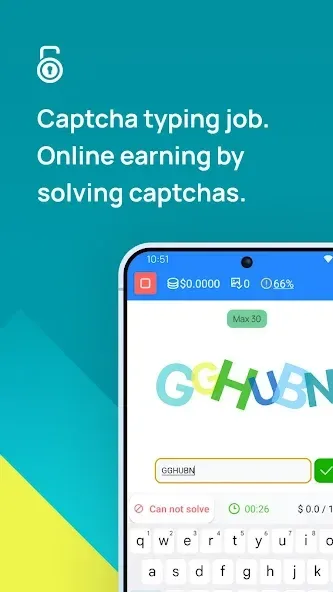
2Captcha Bot is a convenient tool designed for 2captcha.com users. Users simply log in to their account on their device to generate a unique QR code, helping you easily crack CAPTCHAs. With 2Captcha Bot, you have two easy login methods: manually enter your client key or directly scan your unique QR code. The client key is displayed in a prominent red color, which you can copy to your clipboard for later use. Using this solution can significantly improve efficiency, allowing you to maintain high productivity while working in different locations.
Highlights:
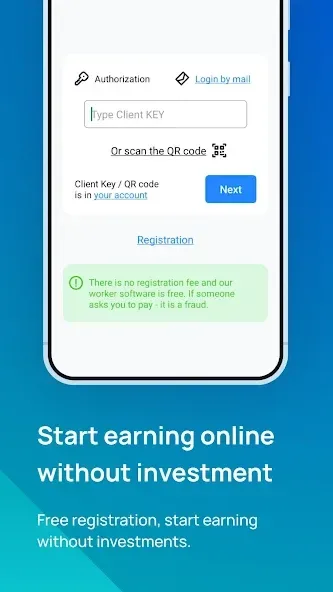
The 2Captcha Bot is an application designed for users of 2captcha.com. To use the app, it is necessary to have an account on the website. The login process can be done in two ways: by manually entering or pasting your Client key, or by scanning the QR code found on the 2captcha.com website.
Prior to logging in, users must sign in to their 2captcha.com account from a PC or another mobile device to access the QR code scanning option. Once logged in, users should ensure that they are in "worker" mode, which is indicated in the top right corner of the screen. To retrieve the Client key, users can navigate to the "Solve captchas" section where the key is highlighted in red.
By tapping or clicking on "Copy," the key can be copied and pasted into the login input of the application. Alternatively, users can click on the "QR code" link near the key to display the QR code and then use the QR code icon within the application to scan it using the device's camera. Successful scanning of the QR code will automatically log the user into the application.
Features:
Easy Login: The app provides two convenient ways to log in - either by entering your Client key manually or by scanning the QR code on the 2captcha.com website.
Account Integration: To use the app, you must have an existing account on 2captcha.com. This ensures a seamless experience for existing users.
Mode Selection: The app allows you to easily switch to the "worker" mode, which can be viewed at the top right corner of the screen. This ensures that you are in the correct mode for solving captchas.
Copy Client Key: The app highlights your Client KEY in red, making it easy for you to tap/click on "Copy" and paste it into the login input. This saves you time and effort.
QR Code Scanner: By clicking on the "QR code" link near the KEY, the app displays a QR code. You can then use your device's camera to scan the QR code, automatically logging you in without any hassle.
Streamlined Process: The app guides you through each step, ensuring that you can quickly log in and start solving captchas. It simplifies the process, saving you valuable time.
Changelog:
Optimization and bug fixes
GIF images support
deprecation message
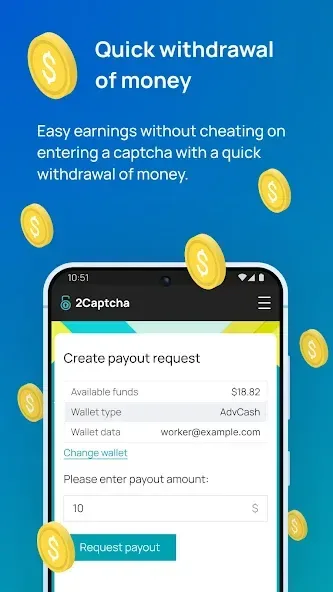
Conclusion:
The app's streamlined login process and user-friendly dashboard stand out as particularly notable features. For users seeking a consistent and effective way to approach captcha-solving tasks without the need for a desktop, the app proves to be an excellent solution. Experience the convenience of remote work with the robust capabilities offered, simplifying your captcha-solving tasks and optimizing your workflow.