

Hoga Toga is a news app designed for tech enthusiasts. It not only brings users the latest technological advancements from around the world but also offers numerous practical device usage tips and guides for users to explore. The app has a built-in search function; users can simply enter keywords to find content on relevant topics. During reading, you can freely adjust the font size and reading mode for a comfortable reading experience. The app also boasts high security, protecting user privacy and reading history in real time, and you can seamlessly continue reading from different devices.
Features of Hoga Toga:
Provides users with trending and up-to-date news to facilitate staying informed.
Allows personalization of the news feed based on users' preferences and interests.
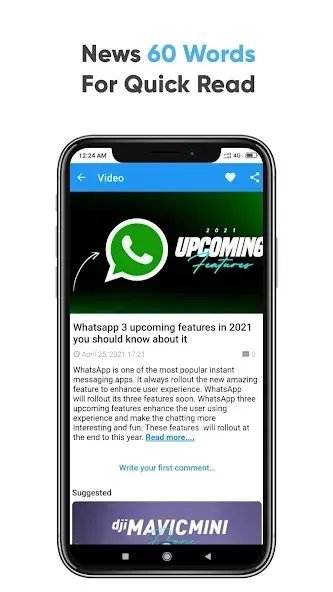
Offers a selection of Hoga Toga Tech YouTube videos for users to enhance their understanding of technology.
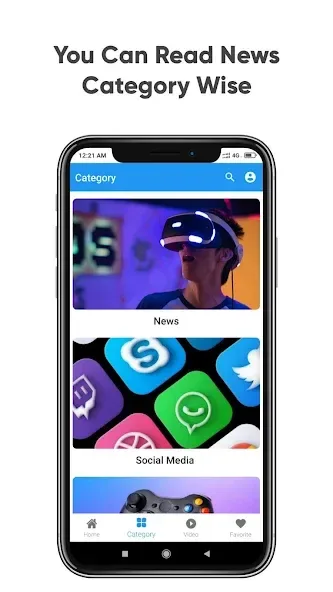
Enables browsing and reading of news across different categories.
Includes a Dark Mode feature to reduce eye strain.
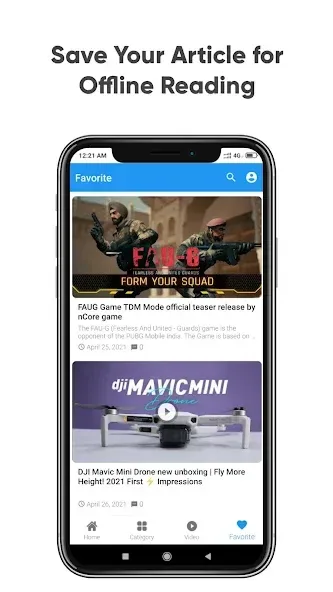
Enables bookmarking and favoriting of news articles for offline reading.
Facilitates sharing news across various platforms.
Allows users to search and discover the latest trending news efficiently.
Update:
What's new in version 1.8
Improved account security and password recovery
Added clearer account-deletion controls
Improved notifications and article opening
Updated Android, Firebase and advertising components
Improved image loading and app stability
Refined ad placement for a cleaner reading experience
FAQs of Hoga Toga:
Can I customize my news feed in Hoga Toga?
Yes. Hoga Toga includes a customizable newsfeed that lets you select which technology and social media topics you want to follow. You can choose specific categories and interests to create a personalized feed that matches your preferences and keeps you informed.
Does Hoga Toga support offline reading?
Yes. Hoga Toga allows you to bookmark and favorite articles for offline reading. Once you've saved articles to your library, you can access them without an internet connection. This makes it convenient for reading during transit or in areas with limited connectivity.
How do I save and organize articles in Hoga Toga?
Hoga Toga includes bookmark and favorite features that let you save articles for later reading. Saved articles appear in your library and remain accessible offline. You can organize content and return to stories whenever convenient for review and continued reading.
Can I enable dark mode in Hoga Toga?
Yes. Hoga Toga offers a dark mode option that reduces eye strain when reading in low-light conditions. You can easily enable or disable dark mode through the app's settings menu to match your preferred viewing experience and your current lighting environment.
Conclusion:
Overall, Hoga Toga is a comprehensive news app for tech enthusiasts. It offers a personalized news experience, offline reading capabilities, and the option to watch tech videos from Hoga Toga's YouTube channel.








