

Xiaomi System Launcher is a launcher application designed for mobile devices. It allows users to add various sidebars and bottom bars to their screens, and provides the ability to hide sensitive apps and files to help protect user privacy. The software also offers a wide range of customization options—enabling users to disable wallpaper scrolling, adjust the layout and size of widgets, and incorporate new visual effects—to make your screen look even more impressive. With excellent compatibility and a commitment to continuous updates and optimization, the launcher frequently introduces new features and widgets, so stay tuned for more!
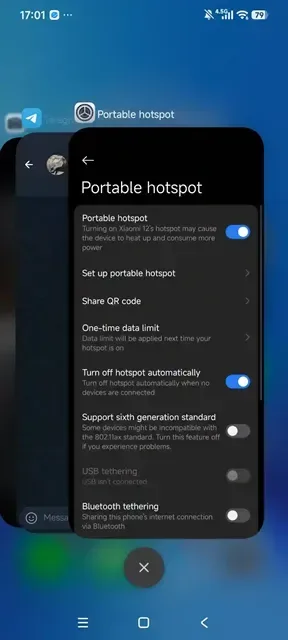
Features of Xiaomi System Launcher:
Updating the Xiaomi System Launcher app on your Xiaomi smartphone can provide a number of benefits, including:
Improved performance: Each new update may come with bug fixes and performance enhancements that can help to optimize the performance of your device and improve its stability.
New features: Xiaomi regularly adds new features and functionality to its System Launcher app through updates. Updating the app can help ensure that you have access to the latest features and improvements.
Enhanced security: Updating the Xiaomi System Launcher app can help to ensure that any security vulnerabilities are patched and your device is protected from potential security threats.
Compatibility: Some apps may require a specific version of the System Launcher app to be installed in order to work properly. Keeping your launcher up to date can help ensure that your device is compatible with the latest apps and software.
Overall, updating the Xiaomi System Launcher app is a good practice to help ensure that your device is running smoothly, securely, and up to date with the latest features and improvements.
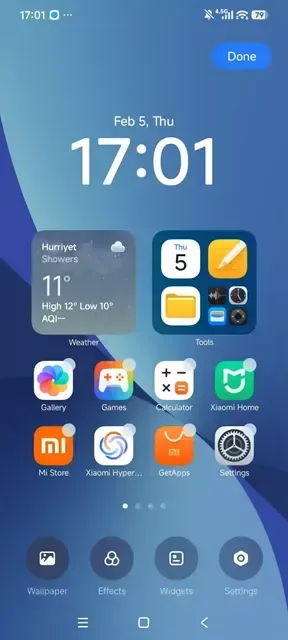
Useful Tips of Xiaomi System Launcher:
Adjust Animation Speed: Speed up screen navigation within Xiaomi System Launcher by setting animation preferences to fast speed.
Enable Double Tap: Turn on double tap settings to lock your display instantly without pressing physical power keys.
Group App Categories: Organize your application drawer automatically into clear categories like social, media, and productivity.
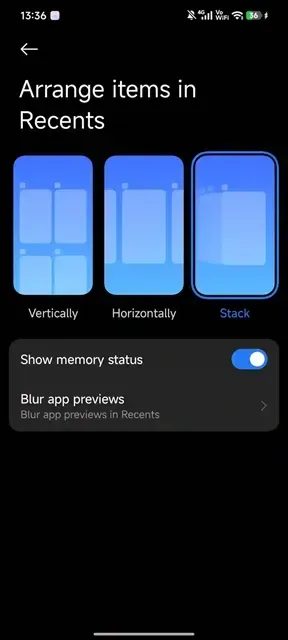
Blur Preview Cards: Enable background blur inside recent tasks settings to shield private app details from view.
Lock Screen Layout: Lock your desktop layout structure to prevent accidental movement or removal of screen icons.
Clear System Cache: Refresh interface performance occasionally by clearing launcher cache data inside phone management settings.
Update:
Fixed the problem that the layout of recent tasks is disordered after switching between horizontal and vertical screens;
Fixed the FC of dragging and dropping in quick succession in edit mode;
Fixed the occasional FC of adding quick application shortcuts;
Fixed the problem of fast cutting failure;
Fixed the occasional dual-opening application icon display error problem;
Fixed the fc caused when dual-opening applications;
Fixed the occasional layered icon display incorrectly
FAQs of Xiaomi System Launcher:
Q: I don't have the dock option in the launcher.
A: To use Dock feature, Advanced textures must be enabled in your ROM (Display Settings or Launcher Settings → Force advanced textures).
Q: My Circle to Search isn't working.
A: There's an overlay in the module for unsupported ROMs. Make sure it's installed and enable "Circle to Search" from Navigation Settings.
Q: I saw several mods in screenshots, but I'm not getting all of them.
A: Searchbar Provider and Hide Apps features rely on the Xiaomi EU ext APK. If you only installed the launcher APK, install the additional APK from the ZIP. Other features depend on your Android version and the advanced textures option—ensure it's enabled in the settings.
Q: Are there 1x2 and 2x1 grids for folders?
A: Yes.
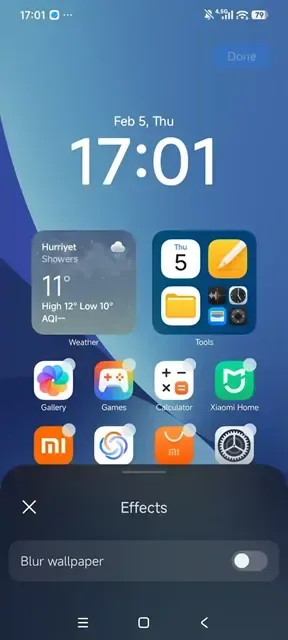
Q: I am not getting glassy blur?
A: Glassy blur is implemented in framework of OS3, hence it can't be enabled in HyperOS 2. And if you are on HyperOS 3 your rom or device must support glassy blur via advanced release prop value being 4.
Conclusion:
An additional feature you get in Xiaomi System Launcher is the ability to disable or enable wallpaper scrolling. Moreover, you can resize any widget you want. One more, you need to know that the Mi launcher offers more options as well as customizations.








