

Zoom Workplace is an excellent platform for workplace collaboration. This application uses advanced AI technology to integrate video conferencing, voice calls, team chat, and collaboration tools into a single interface, aiming to simplify communication processes for teams of all sizes and improve user productivity. With Zoom Workplace, users can leverage streamlined workflows to reduce task switching, connect and collaborate more efficiently, and complete tasks. The platform also offers a seamless mobile meeting experience, allowing you to join meetings, share your screen, and participate in discussions from anywhere, at any time.

Highlights:
Support hybrid and remote work: Keep global teams engaged with reliable video, chat, documents, and more.
Seamless communication: Save time and cut costs with Meetings, Phone, Chat, and more, in one UCaaS platform.
Keep workflows moving: From brainstorms to documents, Zoom helps teams cut friction and avoid stalls.
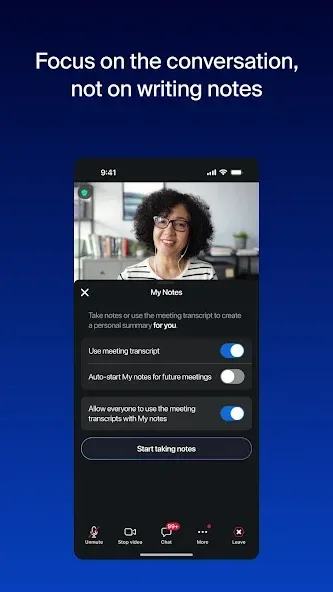
Do more with AI: Built-in AI summarizes meetings and automates next steps, while ZoomMate goes further and generates quality assets like decks and docs.
Features:
High-Quality Video and Audio: Experience crystal-clear audio and high-definition video that keeps you connected with colleagues, friends, and family no matter where they are. Zoom’s advanced technology ensures reliable performance across varying network conditions.
User-Friendly Interface: Join or host meetings with just a few taps. The intuitive design of the Zoom app ensures that you can navigate through the various features effortlessly, making it suitable for users of all ages and tech-savviness.
Virtual Backgrounds: Personalize your video calls with virtual backgrounds—choose from a library of images or upload your own to create a unique environment.
Screen Sharing: Share your screen with participants for presentations, demonstrations, or collaborative work sessions. This feature allows for a more engaging and productive meeting experience.
Chat Functionality: Beyond video conferencing, engage in one-on-one or group chats, share files, and exchange messages, all within the same application.

FAQs:
What are the key benefits of using Zoom Workplace?
Zoom Workplace unifies communication and collaboration tools into a single platform, streamlining workflows, improving team productivity, and enhancing the overall user experience.
Is Zoom Workplace secure for sensitive business communications?
Yes, Zoom Workplace employs end-to-end encryption and other security measures to protect your data and ensure the privacy of your communications.
Can I use Zoom Workplace on multiple devices?
Yes, Zoom Workplace is available on a variety of platforms, including Android, iOS, Windows, and macOS, allowing you to stay connected and productive across all your devices.
Changelog:
Meeting features
-Auto-connect to audio using wifi by default for new app installations
-Don't Show This Again option for meeting disclaimer prompts
Team Chat features
-Support 250,000 members in Announcement channels
Phone features
-Expanded language support for voicemail and videomail transcription
-Outbound SMS spam prevention
-Support for multiple languages for voice call summary
-Post-quantum end-to-end encryption support for Zoom Phone
Resolved issues
-Minor bug fixes
Final Words:
Zoom Workplace is one of those apps that I use regularly, so I'm already pretty familiar with how it works. In my day-to-day life, I mainly use it to join meetings and video calls, check messages, and stay in touch with others without having to switch between several apps. I also find it useful for sharing the screen during meetings and accessing session links directly from my smartphone. Overall, I find it to be a very complete app for communication and productivity, especially if you use it frequently in a work environment, though some features depend on your plan.








