
This application is a tool designed for Android systems that provides access to the app catalog found in the Apple App Store. Users can view detailed information for each app—including ratings, descriptions, specifications, screenshots, and user reviews—making it easy to discover popular apps or find ones that suit their personal preferences. The app features a wide range of categories, allowing users to quickly search for and explore content. With its clean, minimalist interface, simple operation, and low memory footprint, it is well-suited for all types of users.
Features
Seamless Access
Since official channels do not support the direct access or installation of iOS or Windows Phone apps on Android devices, this tool offers an efficient and convenient way for users to discover new applications across different operating systems. It enhances the browsing experience and provides a comprehensive solution for managing apps on your Android device.
Intuitive Interface
The app features an intuitive, user-friendly interface that lets you view details for your favorite iPhone apps—such as descriptions, pricing, categories, and release dates—directly on your Android device. This makes it easy to select which apps you’d like to install. You can even customize your home screen wallpaper, much like on an iOS device. The app also supports emulating various iOS interface elements, including the Notification Center, Control Center, lock screen, and more.
Quick Search
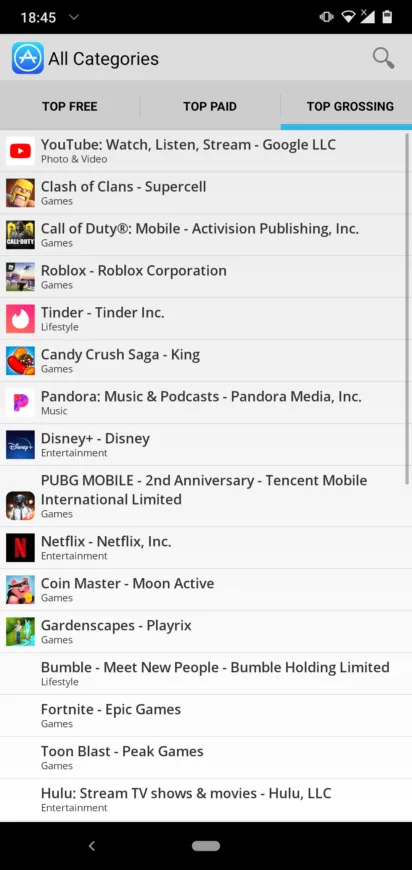
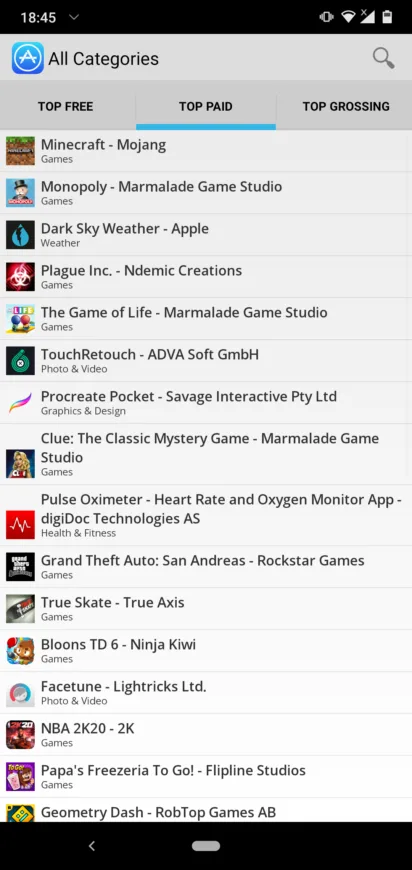
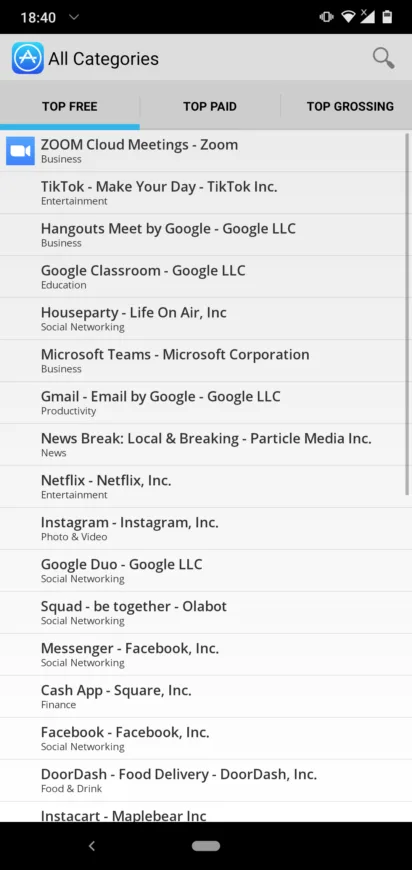
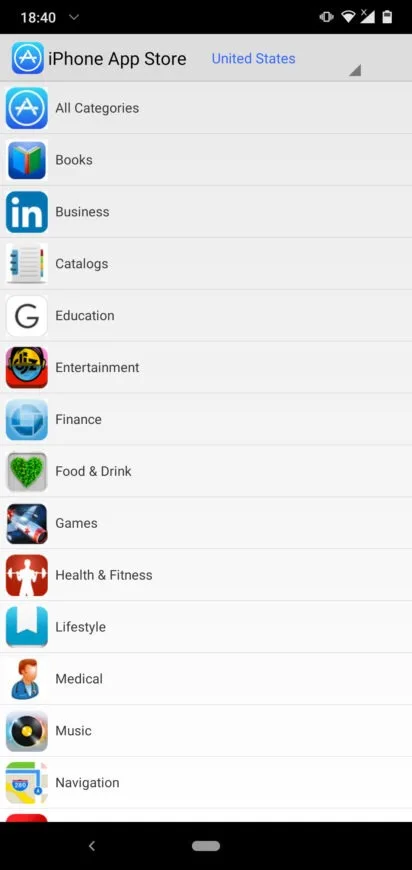
This app allows you to browse the iOS App Store from your Android device, mirroring the experience of using an iPhone. It offers a variety of categories—such as top paid apps, best-sellers, and top free apps—to help you easily find what you’re looking for. Key categories are displayed right on the home screen, and you can also adjust your default store region.
Filtering and Accessibility
With built-in filtering tools, you can access apps quickly, easily, and seamlessly. You can filter by category to locate specific apps, as each popular category includes its own filtering options. The app provides a simple and convenient solution for finding the content you want.
Pros and Cons
Pros:
Features an intuitive, minimalist interface similar to the iOS App Store.
Provides detailed information, including descriptions, reviews, and screenshots.
Includes filtering options to help you find the apps you need.
Offers an iOS-style categorized home screen.
Allows you to view ratings and reviews for individual apps.
Cons:
Lacks additional features
Cannot download or run iOS apps
FAQs
What is the primary purpose of the "iPhone App Store" app on an Android phone?
The sole purpose of this app is to browse the Apple App Store. You can use it to check if a specific app is available for the iPhone, or to help friends who use iPhones find suitable apps.
What can Android users access through this "iPhone App Store" app?
It displays popular apps from the charts for paid, top-grossing, and free applications. The home screen lists all major categories, which you can browse according to your needs.
Can we download and use Apple apps from this store?
This app serves as a convenient tool for Android users to check whether specific apps are available in the Apple App Store directly from their Android phones.
Conclusion
As we know, Apple products are accessed via the App Store, while Google products are accessed via the Play Store—both serving as major platforms for games, applications, and more. Since the iPhone is an expensive device that not everyone can afford, this "iPhone App Store" app is an excellent way to bring an iPhone-like experience to your Android device.








