
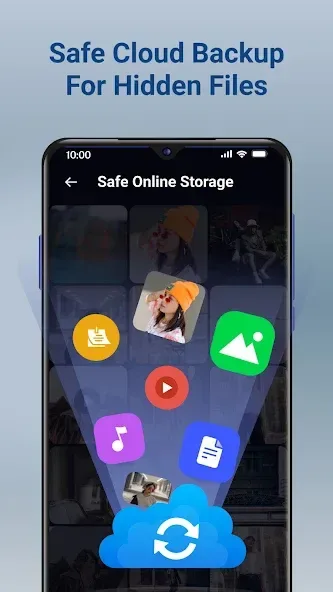
Calculator Lock is a privacy protection tool designed for mobile devices. It allows users to store sensitive items—such as photos, notes, videos, and files—within the app, secured by a password. This data is saved to the cloud and can be accessed or downloaded once the correct password is entered. To help keep the app discreet, its icon automatically changes to resemble a different application, allowing it to remain hidden on your screen. Furthermore, the app can display different content depending on the specific password entered. For added security, the app also features an automatic lock function that triggers whenever the device is placed face-down, ensuring your private information remains well-protected.
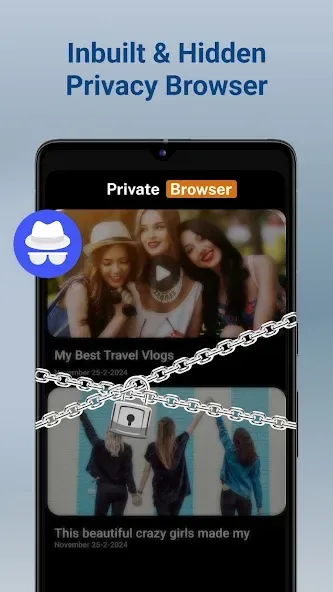
Features of Calculator Lock:
Hide Photos & Videos: Store your secret media files away from public view in a secure, hidden gallery.
App Lock: Protect your privacy by locking apps with a password or pattern, preventing unauthorized access and keeping prying eyes at bay.
Lock Files: Hide and secure documents like DOCs, PPTs, and even RAW files within the smart calculator locker.
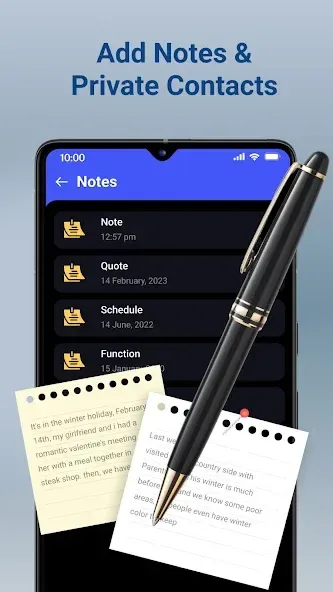
Secret Notes: Privately save diaries, passwords, and contact details without any worries of exposure.
Change App Icon: Blend in by replacing the app icon, making it less conspicuous on your home screen.
Restore Photos and Videos: Effortlessly unhide and export your media at your convenience, super user-friendly!
User Reviews of Calculator Lock:
I really review many few apps but this was must to do.. so if you want that you have to keep your photos private without anyone knowing..this one is perfect.. before entering the password,it works as a regular calculator so no one will ever know,even it has decoy lock for free which means if someone force you to open this, you can set another fake password and it will give you totally another gallery.. trust me and go for it.
I came across this app after being fed up with the app "LOCKED". Locked began demanding access to ALL files , even without our permission or knowledge.If you refused,the app wouldnt permit you access to your locked files. This app asks no more of us than most apps,AND,this app offers much more options than that bloody hijacker Locked.
The app works perfectly. It has helped me avoid uninstall my apps and is efficient. However, this is what you need to do. The app should make it possible sharing media directly to the desired folder and the same when unhiding and there should be an option to sort apps according to my preference.
Does great job. I think this is the best apps I could get after few days of trying all sorts of similar apps. Didn't work on multiple devices with same account on start but now it's working. Only downside is unable to keep hidden files on SD card. Storage limited devices will suffer for storing videos.
FAQs of Calculator Lock:
How do I set up a password or PIN for the app?
After downloading the app, open it, and you will be prompted to set a 4-digit PIN or password to secure your files.
Can I retrieve my password if I forget it?
Unfortunately, if you forget your password or PIN, there is no way to retrieve it. It’s advisable to keep your password in a secure location.
Does the app require an internet connection to function?
No, the app does not require an internet connection for its core functions. It works entirely offline.
How do I add files to the app?
You can add files by opening the app, entering your PIN, and using the import feature to select and add your photos or videos from your gallery.
Can I uninstall the app without losing my locked files?
If you uninstall the app, all locked files will be lost. Make sure to export or back up any important data before uninstalling.
Final Thoughts:
Calculator Lock offers several key features to enhance privacy and security. Users can directly record videos within the app, and it provides powerful encryption and privacy features to lock photos, videos, and files. By hiding these files behind the calculator interface, users can ensure their privacy.








