
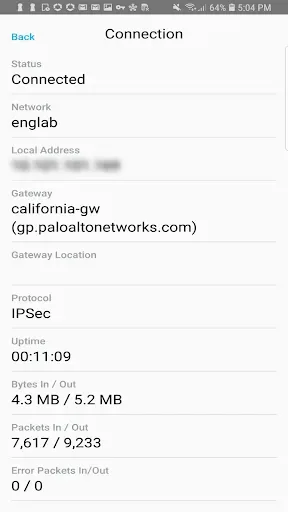
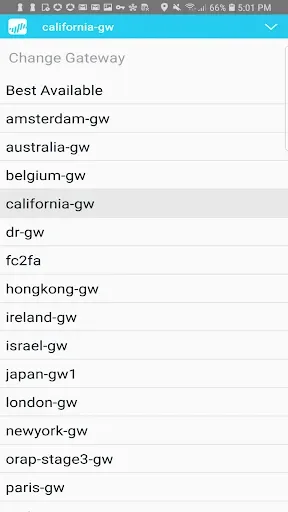
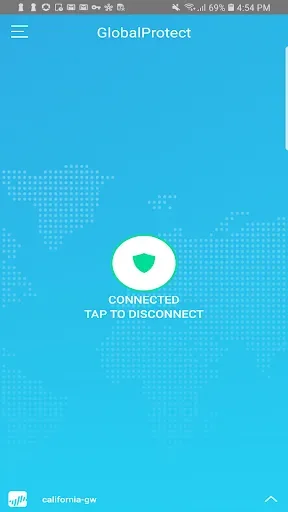
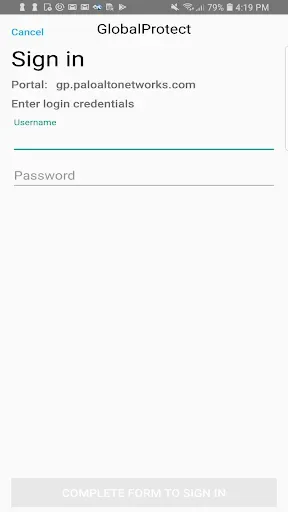
GlobalProtect is a network tool designed for the Android operating system. It enables remote VPN access and is particularly well-suited for enterprise-level VPN deployments. Beyond establishing a VPN connection, the tool offers a wide range of features—including manual gateway selection and various authentication methods—to ensure a secure user experience. Furthermore, it provides high-speed, stable VPN connections, allowing Android users to take full advantage of its capabilities.
Features
Supports BYOD (Bring Your Own Device) initiatives through remote access VPN and per-app VPN.
Connectivity via IPSec or SSL.
Integration with MDM (Mobile Device Management) for streamlined resource provisioning.
Allows users to update expired AD/RADIUS passwords while connected remotely.
Supports two-factor authentication (2FA) using one-time passwords (OTP) via RADIUS and SAML.
Supports various other PAN-OS authentication methods, including LDAP, client certificates, and local user databases.
Integrated notifications for a seamless, native Android experience.
Enables enterprises to provide secure access to any application.
Pros and Cons
Pros:
"Always-On," remote access, and per-app VPN modes.
Automatic and manual gateway selection.
Supports IPSec, SSL, certificates, LDAP, RADIUS, and SAML.
MDM integration assists administrators in provisioning managed devices.
Cons:
Requires compatible Palo Alto Networks infrastructure and a gateway subscription.
Network changes may necessitate a manual refresh of the connection.
FAQs
Do I need a subscription to use GlobalProtect?
Yes. The application requires a GlobalProtect gateway subscription to be installed on a Palo Alto Networks firewall. Your company’s IT department must activate this subscription before you can download and use the app.
Which firewall version is required for GlobalProtect?
GlobalProtect works with Palo Alto Networks Next-Generation Firewalls running PAN-OS 7.1 or later; the Android application also supports PAN-OS 9.0 and subsequent versions.
What authentication methods does GlobalProtect support?
GlobalProtect supports LDAP, SAML, Kerberos, RADIUS, TACACS+, and client certificates. It also supports two-factor authentication using one-time passwords, smart cards, and software token applications.
Conclusion
Designed specifically for organizations that use Palo Alto Networks firewalls, GlobalProtect provides enterprise-grade, managed VPN connections for Android devices via a corporate gateway.








